

HakinTool V2 Main 2A Latest Version Free Download | Complete Multi-Brand MDM, PayJoy, FRP, PIN, Pattern & Lock Removal Guide
Table of Contents
Introduction
In the mobile software repair and flashing industry, servicing modern Android smartphones requires a versatile, up-to-date utility capable of handling enterprise MDM profiles, carrier financing locks, and strict security patches without complicated DNS or VPN workarounds. HakinTool V2 Main 2A Latest Version stands out as an all-in-one, online Windows desktop servicing platform engineered for GSM technicians.
Covering roughly 95% of global Android brands and operating without credit limits or DNS/VPN dependencies, HakinTool V2 Main 2A unifies ADB, Fastboot, MediaTek BROM/META, Samsung Exynos, and Unisoc diagnostic tools into one streamlined dashboard. This comprehensive guide covers every feature, lock-removal method, system requirement, and activation step.
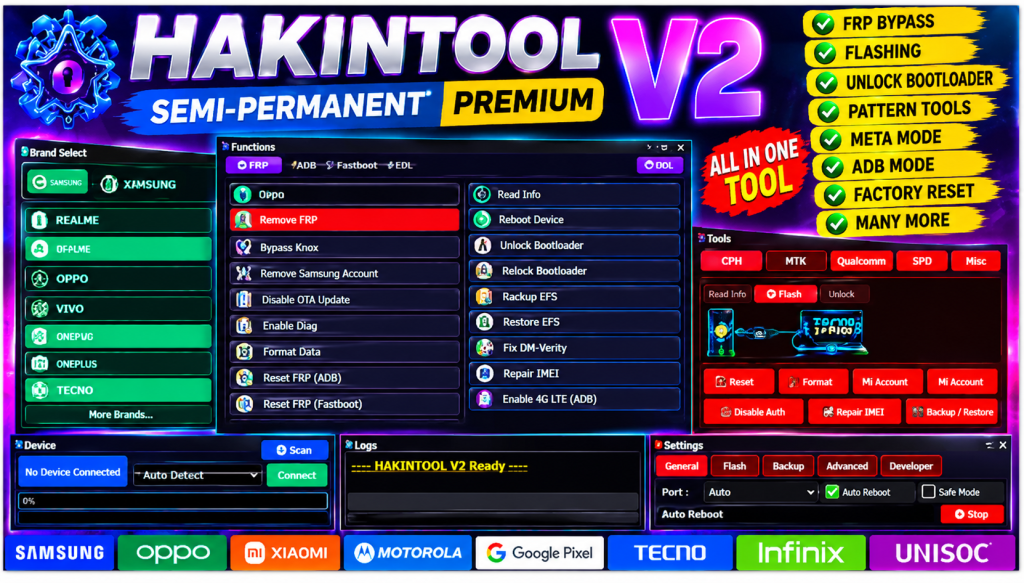
What is HakinTool V2 Main 2A?
HakinTool V2 Main 2A is a Windows-based, multi-brand Android repair and device management utility designed for mobile servicing professionals. Operating completely online with unlimited free device registrations and zero DNS or VPN requirements, it integrates automated QR enrollment profiles, server-assisted Pixel/Samsung handlers, MediaTek partition/SUPER editors, and Fastboot firmware flashers into a single application.
What’s New & Complete Feature Modules in HakinTool V2 Main 2A
The V2 Main 2A update introduces a DNS-free, VPN-free online architecture alongside specialized servicing modules across major Android platforms:
1. Semi-Permanent Premium & Enterprise Profile Module (MDM / KG / FRP)
- Patch Without DNS — Premium All: Neutralizes active MDM, carrier, and enrollment restrictions without relying on unstable DNS blockers or third-party VPN tunnels.
- Enrollment Security Profiles & QR + DNS Configuration: Generate automated QR configurations for ADB QR Setup, Telcel / Claro Enrollment, IT Administrator Enrollment, Samsung Enrollment, Kiosk Enrollment, Samsung KG Enrollment, Cricket / AT&T Profiles, MDM USA / White Screen Profiles, and PayJoy Profiles.
- Device & Owner Management: Toggle Wi-Fi/Power Off remotely, read full ADB Device Info, launch built-in emulators, manage Device Owner rules, and control Factory Reset visibility (Unlock Factory Reset, Show Factory Reset Icon, or Hide Factory Reset Forever).
2. Samsung Servicing & Exynos FRP Module
- Samsung Exynos & Android 16 FRP: Supports COM Port Auto-Detect, Exynos Direct Reset FRP, Alternative ADB Method, Persistent Partition FRP Reset, and Samsung FRP Android 16 / ADB.
- Samsung Advanced Brand Patches: Includes Samsung eSIM to SIM Conversion 2026, Samsung Knox Cloud Enrollment Full Reset Patch (
sec_efs), Samsung Lost Mode Removal (vbmeta), Enable Factory Reset, and Samsung Unlock Bootloader.
3. OPPO / Realme, Motorola & Google Pixel Modules
- OPPO & Realme Premium: Features Oppo OPlus Patch 2026 (v1 & v2), Apply Oppo White Screen (Tablet All), Realme Root White Screen Patch, and Unlock MTK.
- Motorola BL, FRP & Flasher: Supports Model & SKU Auto-Lookup, Unlock/Relock Bootloader, Erase/Remove FRP, Motorola Qualcomm Bootloader Unlock, and a dedicated Motorola Fastboot Partition &
.batFirmware Flasher. - Google Pixel Server: Provides Fastboot connection mode, Pixel Server Authorization, Pixel 6A FRP Bypass, Fastboot Unlock, and FRP Reset.
4. Xiaomi Flasher & Brand Patches
- Xiaomi Fastboot Flasher & Security: Features ROM folder selection with
flash_all.batsupport, connected model verification, Flash Partition Table Viewer, Mi Account Bypass, and Xiaomi Lost Mode Patch. - Honor & Nokia Patches: Includes Honor OEMinfo Patch, Region Patch, PayJoy Patch, and Nokia Factory Reset.
5. MediaTek (MTK BROM / META), Tecno / Infinix & Unisoc (SPD) Modules
- MTK Special BROM & Partition Tools: Includes DA Partition Reader/Scanner, Patch & Flash SUPER Partition, Super Partition Explorer / Dump / Repacker, Change Active Slot (A/B), Unlock Bootloader, LK Editor / Free LK Patch, Automatic PayJoy Patcher, Universal PayJoy Removal, Anti-Crack Removal, and APK Extractor.
- Tecno & Infinix META Mode Tools: Supports COM port configuration, Read Partitions, SuperMeta Backup / Restore, Bootloader Unlock via META Mode, Erase FRP, Factory Reset, Remove PayJoy, and ADB Single/Dual IMEI Read & Write.
- SPD / Unisoc Diagnostic Tools: Auto-detects SPRD USB Diagnostic ports to Read Software Info, Read/Write Single & Dual IMEI, execute Diag Factory Reset, and Read/Write Partitions in Diag Mode, alongside SPD Super and MiscData plugins.
Comprehensive Lock Removal Capabilities (MDM, PayJoy, KG, FRP, PIN & Pattern Locks)
Modern Android smartphones employ multi-layered security encryption to safeguard user, carrier, and enterprise data. HakinTool V2 Main 2A provides dedicated functions to address every major type of device lock:
1. MDM, IT Admin & Kiosk Lock Removal
Corporate-managed phones, school tablets, and enterprise devices often enforce strict Mobile Device Management (MDM), IT Admin, or single-app Kiosk policies. Using Patch Without DNS — Premium All, Owner Problems Management, and automated QR Enrollment Profiles, technicians can neutralize active enterprise restrictions cleanly.
2. PayJoy, Telcel / Claro & Samsung Knox Guard (KG) Locks
Financed devices restricted by PayJoy, Telcel/Claro, or Samsung Knox Guard (KG) frequently block usage or disable factory resets. The utility features Telcel PayJoy Without Apps, Automatic PayJoy Patcher, Honor PayJoy Patch, Tecno/Infinix META PayJoy Removal, and Samsung Knox Enrollment Full Reset (sec_efs) to clear carrier and financing locks.
3. FRP Bypass (Factory Reset Protection)
When an Android smartphone is factory reset without signing out of the primary Google account, FRP blocks setup access. HakinTool V2 Main 2A clears FRP across Samsung Android 16 / ADB, Samsung Exynos Direct/Persistent Partition Reset, Google Pixel Server FRP, Motorola Fastboot FRP, and MediaTek BROM / META FRP modes.
4. PIN, Password, and Pattern Lock Management & Reset
Whether you need to configure a security lock during provisioning or clear a forgotten screen credential (numeric PIN, alphanumeric password, or gesture pattern), HakinTool provides both Create / Set / Remove Screen PIN utilities via ADB and full Factory Reset / Diag Factory Reset / META Factory Reset options to clear screen locks safely.
5. Mi Account, Lost Mode & Bootloader Locks
Beyond standard Android locks, the software offers dedicated functions for Xiaomi Mi Account Bypass, Xiaomi & Samsung Lost Mode Removal (vbmeta), and Bootloader Unlocking across MediaTek, Motorola, Samsung, and Tecno/Infinix devices.
Supported Brands and Chipsets
HakinTool V2 Main 2A supports approximately 95% of global Android smartphone brands across major hardware platforms:
- Supported Chipsets: MediaTek (MTK BROM, DA & META modes), Qualcomm Snapdragon (Fastboot/ADB/EDL protocols), Samsung Exynos, and Unisoc / Spreadtrum (SPD Diag & Super Plugins).
- Supported Brands: Samsung, Xiaomi, Redmi, POCO, OPPO, Realme, Motorola, Google Pixel, TECNO, Infinix, Itel, Honor, Nokia/HMD, Vivo, and generic Android devices.
System Requirements
| Component | Minimum Requirement | Recommended Specification |
| Operating System | Windows 8 / 10 (64-bit) | Windows 10 / 11 (64-bit) |
| Processor | Intel Core 2 Duo / AMD Dual-Core (2.0 GHz) | Intel Core i3 / AMD Ryzen 3 or higher |
| RAM | 4 GB RAM | 8 GB RAM or higher |
| Storage Space | 1 GB free disk space | 10 GB available space (for Fastboot/Super ROMs) |
| Network & Drivers | Active Internet + ADB/Fastboot Drivers | High-Speed Internet + Samsung, MTK, SPD & Moto Drivers |
How to Download, Register, and Use HakinTool V2 Main 2A
- Download the Setup Archive: Download the official HakinTool V2 Main 2A compressed
.rarpackage from a trusted repository. - Temporarily Pause Antivirus: Windows Defender and third-party antivirus suites often flag servicing loaders due to packed exploit and partition scripts. Temporarily disable real-time protection or add an exclusion folder before extracting.
- Extract the Archive: Right-click the downloaded
HakinTool.rarfile, extract it into a dedicated folder on yourC:drive using WinRAR or 7-Zip, and enter the archive passwordgsmyogesh.comwhen prompted. - Activate Hardware ID (HWID) License: Open the extracted folder, right-click
Loader.exe, and select Run as administrator. Copy your displayed Hardware ID, click GET ACTIVATION KEY to open the registration page in your browser, paste your HWID to generate your free activation key, return to the loader, click PASTE LICENSE HERE, and select REGISTER LICENSE. - Install Required USB Drivers: Ensure official ADB/Fastboot, Samsung USB, MediaTek VCOM, Motorola, and SPD/Unisoc Diag drivers are installed in Windows Device Manager.
- Sign In & Execute Task: Launch the main HakinTool application as an administrator, enter any username and password (or your registered credentials) to sign in, connect your Android device in the required mode (Setup Screen QR, ADB, Fastboot, META, BROM, or Diag Mode), and execute your desired servicing task.
Frequently Asked Questions (FAQ)
Q1: Does HakinTool V2 Main 2A require a DNS, VPN, or paid credits?
Ans: No, HakinTool V2 Main 2A operates completely online without requiring any custom DNS setup or VPN connection, and all listed functions and device registrations are available with no credit limits.
Q2: How do I activate the free license in HakinTool V2 Main 2A?
Ans: Run Loader.exe as an administrator, click GET ACTIVATION KEY, submit your displayed Hardware ID on the activation page that opens in your browser, paste the generated key back into the loader via PASTE LICENSE HERE, and click REGISTER LICENSE.
Q3: Will removing MDM, PayJoy, or a screen PIN/pattern delete personal data?
Ans: ADB and QR-based MDM, PayJoy, and Remove Screen PIN operations performed on an active system can preserve user data, whereas executing a Factory Reset, Diag Factory Reset, or Fastboot firmware flash to clear a forgotten screen lock or FRP barrier will erase user storage partitions. Always back up accessible data and SuperMeta / sec_efs partitions before servicing.
Q4: Why is my PC failing to detect my phone in META, BROM, or Diag mode?
Ans: Detection issues usually occur due to missing chipset USB drivers or faulty data cables. Verify that MediaTek VCOM, SPD Diagnostic, Samsung USB, and ADB/Fastboot drivers are properly installed in Windows Device Manager, and connect your phone directly to a rear motherboard USB port.
Conclusion
The HakinTool V2 Main 2A Latest Version delivers a comprehensive, all-in-one online repair environment for mobile technicians servicing modern Android smartphones. By eliminating DNS and VPN dependencies while combining Android 16 Samsung FRP bypass, DNS-free MDM and PayJoy removal, MTK Super Partition/BROM utilities, and Fastboot flashers for Xiaomi and Motorola into a single dashboard, it streamlines complex daily repairs. Always ensure proper USB drivers are installed and back up critical partitions (SuperMeta, sec_efs, or OEMinfo) before executing low-level modifications.


