LCM Binary Extractor Latest Version Download 2026
Table of Contents
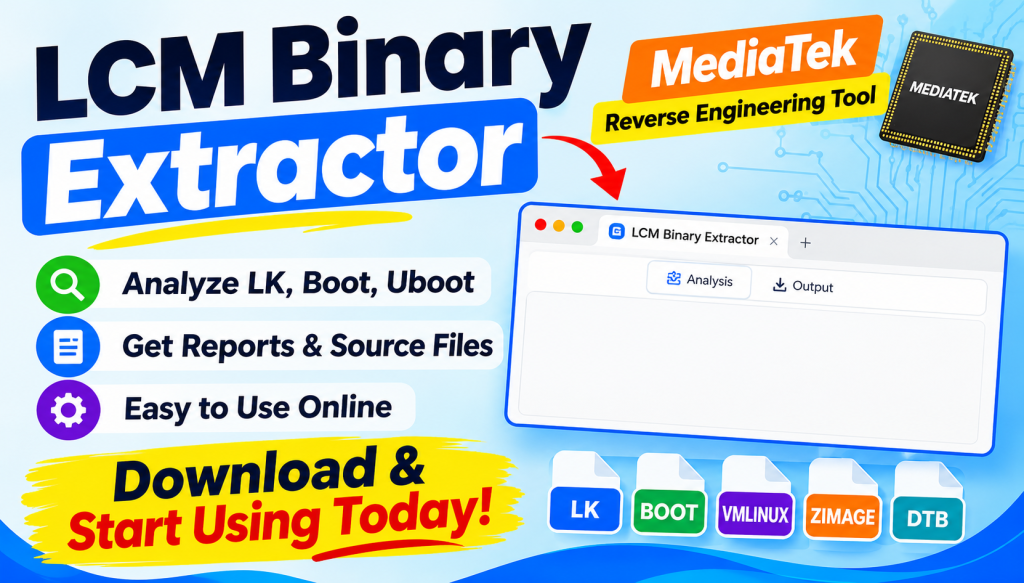
In the mobile software repair, firmware engineering, and custom kernel development industry, diagnosing display initialization failures (black/white screen after flashing), inspecting bootloader memory maps, and analyzing low-level MediaTek partitions often require specialized reverse-engineering utilities. LCM Binary Extractor Latest Version (developed by Melek Saidani) provides a fast, zero-installation, browser-based reverse-engineering suite built specifically for MediaTek (MTK) bootloader and kernel binaries.
Running 100% locally inside your web browser without requiring a separate Windows setup installer, physical dongle, or server credits, LCM Binary Extractor extracts hardware timings, LCM display panel parameters, callback functions, and Device Tree Source Include (DTSI) structures directly from LK.bin, boot.img, vmlinux, zImage, and DTB files. This comprehensive guide covers every feature, firmware-servicing role, system requirement, and step-by-step usage procedure.
What is LCM Binary Extractor?
LCM Binary Extractor is a browser-based MediaTek firmware reverse-engineering and binary analysis utility created by Melek Saidani. Engineered for mobile firmware technicians, ROM developers, and hardware repair specialists, it parses low-level MediaTek bootloader (LK – Little Kernel) and Linux kernel images locally on the client side converting raw compiled binary tables into human-readable address reports, C headers, configuration files, and .dtsi device tree definitions.
Complete Features & Reverse Engineering Modules of LCM Binary Extractor
The latest LCM Binary Extractor release packs a complete suite of binary inspection and code-generation utilities into a clean web interface:
- Multi-Binary File Parser (
LK,boot.img,vmlinux,zImage,DTB): Drag-and-drop or upload raw MediaTekLK.binbootloader images,boot.imgpackages, uncompressedvmlinuxELF kernels, compressedzImagebinaries, or standalone Device Tree Blobs (DTB) for instant structural parsing. - Binary Memory Address & Callback Function Inspector: Scans binary symbols and memory offsets to map exact entry points, hardware initialization routines, and LCM panel callback functions.
- Hardware Timing, Display (LCM) & Battery Parameter Extraction: Extracts MIPI DSI display initialization sequences, panel timing registers, and low-level battery/PMIC calibration parameters essential for fixing blank/corrupted LCD displays after cross-flashing compatible firmware.
- LK Configuration & Kernel Handoff Diagnostics: Inspects Little Kernel (
LK) build flags, partition layouts, and bootloader-to-kernel handoff structures. - Automated C Header, Config &
DTSIGenerator: Converts extracted hardware structures directly into clean C Header (.h) files, configuration files, and Device Tree Source Include (.dtsi) files with one-click copy buttons. - ZIP Archive & Address Report Exporter: Packages all generated headers, configs, and
.dtsioutputs into a downloadable.ziparchive or exports a standalone binary address report. - 100% Local Browser-Based Execution (No Installation Needed): Processes all firmware binaries locally inside your browser’s memory without uploading proprietary ROM files to an external server or requiring a desktop installer.
Role in Firmware Servicing & Lock Removal Workflows (FRP, MDM, PIN, Pattern & Boot Locks)
It is important for technicians to understand how LCM Binary Extractor fits into an advanced repair workflow: it is a MediaTek binary reverse-engineering and firmware analysis utility, not a direct 1-click USB lock-bypass box. However, it plays a crucial diagnostic and preparation role when technicians perform firmware-level lock servicing and unbricking:
1. FRP Bypass & Clean Firmware Verification
When technicians flash engineering LK or stock boot.img packages via MediaTek BROM/Preloader tools to resolve Factory Reset Protection (FRP) or boot verification blocks, mismatched LK binaries frequently cause a black screen (LCM mismatch). LCM Binary Extractor lets technicians verify exact LCM display parameters and partition handoff configurations inside LK.bin and boot.img before flashing.
2. MDM, Knox & Enterprise Firmware Analysis
Corporate-managed phones, school tablets, and carrier-restricted MediaTek units often enforce Mobile Device Management (MDM) or custom bootloader restrictions. Inspecting LK configuration flags, kernel command-line parameters, and Device Tree (DTB) properties helps advanced technicians understand bootloader lock states and verify clean stock firmware builds prior to servicing.
3. PIN, Password, and Pattern Lock Servicing Preparation
Forgetting a screen security credential whether a numeric PIN, alphanumeric password, or gesture pattern often leads technicians to flash stock firmware or perform partition-level resets. When repairing dead-boot or display-glitched devices during lock-removal jobs, verifying LK and boot.img compatibility ensures the device boots cleanly with a working screen after userdata is formatted.
4. Dead-Boot, Orange State & Display Driver Unbricking
Beyond lock-related servicing, LCM Binary Extractor is indispensable for fixing MediaTek handsets suffering from no-display / backlight-only issues after firmware flashing by identifying the exact LCD/LCM driver definitions embedded in the original LK.bin.
Supported Binary Formats and Chipsets
LCM Binary Extractor supports standard MediaTek bootloader and kernel image formats across legacy and modern MTK platforms:
- Supported Binary Formats:
LK.bin(Little Kernel bootloader),boot.img,vmlinux,zImage, andDTB(Device Tree Blob). - Supported Chipsets: MediaTek (
MT65xx,MT67xxHelio series, andMT68xx/MT69xxDimensity series) Android smartphones and tablets.
System Requirements
| Component | Minimum Requirement | Recommended Specification |
| Operating System | Windows 7 / 8 / 10, macOS, or Linux | Windows 10 / 11 (64-bit) or Linux |
| Web Browser | Chrome, Edge, Firefox, or Brave (JavaScript enabled) | Latest Google Chrome / Microsoft Edge (64-bit) |
| Processor | Intel Core 2 Duo / AMD Dual-Core (1.8 GHz) | Intel Core i3 / AMD Ryzen 3 or higher |
| RAM | 2 GB RAM | 4 GB RAM or higher (for parsing large vmlinux binaries) |
| Storage & Network | Internet access to load the web app + 100 MB disk space | High-speed browser + WinRAR / 7-Zip for exported .zip reports |
How to Access and Use LCM Binary Extractor
- Open the Official Web Utility: Launch your web browser (Chrome, Edge, or Firefox) and navigate to the official developer portal:
[https://saidanimelek26.github.io/reverse_engineering-mtk/](https://saidanimelek26.github.io/reverse_engineering-mtk/). - Prepare Your MediaTek Binary File: Extract
lk.bin,boot.img,vmlinux,zImage, or.dtbfrom your target MediaTek scatter firmware package or BROM readback dump. - Load the Binary into the Extractor: Click the Choose File button or drag and drop your target binary directly into the browser’s input area.
- Inspect Hardware & Partition Data: Review the parsed memory addresses, LCM panel callback functions, hardware timings, battery parameters,
LKconfiguration, and kernel handoff details generated locally in the browser. - Copy or Download Generated Outputs: Use the built-in copy buttons to copy
.dtsi, C Header (.h), or configuration snippets directly, or click the export button to save the complete ZIP archive and address report to your computer.
Frequently Asked Questions (FAQ)
Q1: Do I need to download or install an .exe setup file to use LCM Binary Extractor?
Ans: No, LCM Binary Extractor is a 100% browser-based utility that runs locally inside your web browser. You do not need to install any separate Windows setup file, crack, or hardware dongle.
Q2: Are my firmware files uploaded to an external server when I use this tool?
Ans: No, the tool processes LK.bin, boot.img, vmlinux, zImage, and DTB files locally inside your browser’s client-side environment, keeping your firmware dumps private and fast to analyze.
Q3: Can LCM Binary Extractor directly remove FRP, MDM, or PIN locks over USB?
Ans: No, LCM Binary Extractor is a firmware reverse-engineering and analysis utility rather than a USB flashing/unlocking box. Technicians use it to inspect LK and kernel binaries, extract display/hardware parameters, and verify firmware compatibility before flashing or servicing devices with dedicated MTK tools.
Q4: What output files can I export from LCM Binary Extractor?
Ans: You can copy or download generated Device Tree Source Include (.dtsi) files, C Header (.h) files, configuration files, and a detailed binary address report bundled inside a convenient .zip archive.
Conclusion
The LCM Binary Extractor Latest Version (by Melek Saidani) is a lightweight, zero-install reverse-engineering powerhouse for MediaTek firmware specialists and advanced mobile repair technicians. By enabling instant client-side inspection of LK.bin, boot.img, vmlinux, zImage, and DTB files and generating clean .dtsi, C headers, and address reports in seconds it streamlines low-level firmware diagnostics, display driver troubleshooting, and safe firmware preparation. Always verify your extracted firmware files and keep original readback backups before flashing any modified binaries