Dars Unlock Tool v5.7 Latest Version Download (100% Tested)
Table of Contents
In the mobile software repair and flashing industry, technicians require dependable, up-to-date Windows servicing tools capable of handling modern Android security patches, chipset communication protocols, and Apple iOS diagnostics without switching between dozens of standalone programs. Dars Unlock Tool v5.7 Latest Version stands out as a versatile desktop servicing and loader utility engineered for GSM repair professionals.
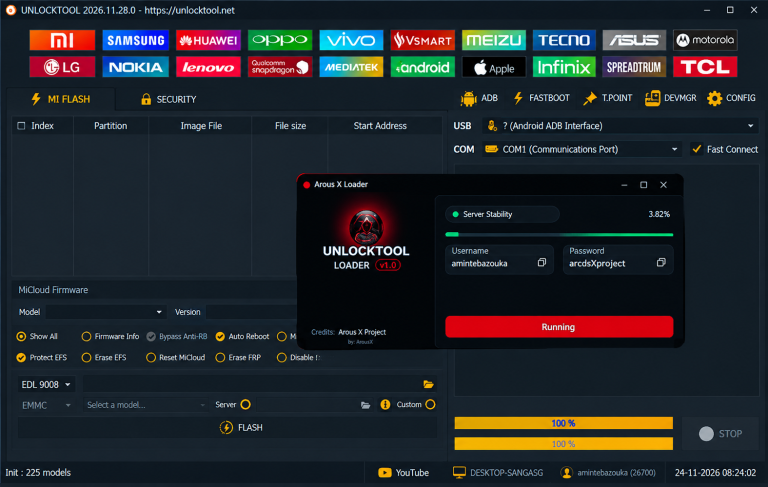
Combining Samsung Exynos & Qualcomm servicing routines, MediaTek & ADB/Fastboot utilities, Apple A12/A13 Boot Diag support, and companion UnlockTool loader integration into one organized interface, Dars Unlock Tool v5.7 streamlines device diagnostics, firmware maintenance, and lock removal. This complete guide covers every feature, lock-removal capability, system requirement, and setup step.
What is Dars Unlock Tool v5.7?
Dars Unlock Tool v5.7 (also referred to as DarsUnlocker in servicing workflows) is a Windows-based mobile repair, diagnostics, and unlocking utility designed for GSM technicians working with supported Android and Apple devices. Built to assist with multi-brand servicing tasks and companion client initialization, it helps technicians read device information, bypass Factory Reset Protection (FRP), handle MDM and enterprise restrictions, reset forgotten screen locks, and manage firmware/boot operations safely.
Complete Features & Servicing Modules of Dars Unlock Tool v5.7
The v5.7 release brings together multi-brand servicing functions, loader enhancements, and diagnostic utilities:
1. Samsung & Qualcomm Servicing Module
- Samsung Exynos FRP & Odin Servicing: Supports FRP servicing for selected Samsung Exynos handsets via Odin Download Mode alongside device identification and firmware maintenance.
- Qualcomm Loader & EDL Support: Includes expanded Qualcomm Firehose / loader support for selected Samsung and Snapdragon models to assist with partition reads/writes, resets, and unbricking.
2. MediaTek, ADB/Fastboot & Apple A12/A13 Diagnostics
- MediaTek & Universal Android Utilities: Provides MediaTek device detection/servicing options alongside ADB and Fastboot communication tools for reading device info, rebooting modes, and managing system packages.
- Apple A12/A13 Boot Diag Support: Offers Boot Diag servicing support for selected Apple devices equipped with A12 and A13 chipsets.
3. Loader Stability, Connection Fixes & Device Diagnostics
- Companion Loader Integration: Works alongside compatible UnlockTool client environments to streamline loader execution and device servicing workflows.
- Connection & Stability Improvements: Addresses loader handshakes, server connection issues, and network/VPN routing hiccups while improving USB port detection and live status feedback.
Comprehensive Lock Removal Capabilities (FRP, MDM, PIN, Pattern & Bootloader Locks)
Modern smartphones enforce multi-layered hardware and software security encryption to protect user, carrier, and enterprise data. Dars Unlock Tool v5.7 supports key servicing routines across major device lock types:
1. FRP Bypass (Factory Reset Protection)
When an Android smartphone is factory reset without signing out of the primary Google account, FRP blocks setup access. Dars Unlock Tool v5.7 provides FRP servicing across Samsung Exynos (Odin Download Mode), supported Qualcomm models, and compatible MediaTek / ADB / Fastboot workflows so technicians can restore clean setup access on authorized devices.
2. MDM, Enterprise & Retail Demo Lock Removal
Corporate-managed phones, school tablets, financed handsets, and retail display units often enforce Mobile Device Management (MDM), enterprise policies, or demo restrictions. Using ADB/system servicing utilities and clean firmware maintenance on supported models, technicians can address enterprise and retail lock states cleanly.
3. PIN, Password, and Pattern Lock Reset
Forgetting a screen security credential whether a numeric PIN, alphanumeric password, or gesture pattern renders a phone inaccessible. Through supported factory reset / userdata wipe and device servicing routines on compatible models, Dars Unlock Tool v5.7 helps clear forgotten PIN, password, and pattern locks while keeping hardware calibration intact.
4. Bootloader & Diagnostic Servicing Locks
Beyond screen and account locks, Dars Unlock Tool v5.7 assists with low-level boot and diagnostic states including Apple A12/A13 Boot Diag handling, bootloader/connection mode transitions, and firmware recovery on supported builds.
Supported Brands and Chipsets
Dars Unlock Tool v5.7 covers a range of smartphone brands and hardware architectures depending on model and security patch level:
- Supported Brands: Samsung Galaxy (
Exynos&Qualcommmodels), Apple (A12&A13devices for Boot Diag), Xiaomi/Redmi/POCO, OPPO, Realme, Vivo, and other compatible Android smartphones. - Supported Chipsets: Samsung Exynos, Qualcomm Snapdragon, MediaTek (
MTK), Unisoc / Spreadtrum (SPD), and Apple A12 / A13 Bionic.
System Requirements
| Component | Minimum Requirement | Recommended Specification |
| Operating System | Windows 8 / 10 (64-bit) | Windows 10 / 11 (64-bit) |
| Processor | Intel Core 2 Duo / AMD Dual-Core (2.0 GHz) | Intel Core i3 / AMD Ryzen 3 or higher |
| RAM | 4 GB RAM | 8 GB RAM or higher |
| Storage Space | 1 GB free disk space | 15 GB+ available space (for firmware & tool files) |
| Network & Drivers | Internet connection (if required) + USB Drivers | Stable Internet + Samsung, Qualcomm 9008, MTK VCOM & ADB Drivers |
How to Download, Set Up, and Use Dars Unlock Tool v5.7
- Download the Setup Archive: Download the Dars Unlock Tool v5.7 compressed
.zipor.rararchive from a trusted source. - Temporarily Pause Antivirus: Windows Defender and third-party antivirus suites frequently flag GSM servicing utilities and loaders due to packed binaries and USB exploit scripts. Temporarily disable real-time protection or add an exclusion folder (
C:\Dars_Unlock_Tool_v5.7) before extracting. - Extract All Files to One Folder: Unpack the archive using WinRAR or 7-Zip into a dedicated folder on your
C:drive so all executables, loaders, and supporting files stay together. - Install Required Chipset USB Drivers: Ensure official Samsung USB, Qualcomm HS-USB QDLoader 9008, MediaTek Preloader VCOM, and Universal ADB/Fastboot drivers are installed in Windows Device Manager.
- Launch as Administrator & Log In: Right-click the Dars Unlock Tool v5.7 executable, select Run as administrator, and complete login/initialization as instructed.
- Select Module & Execute Task: Choose your target brand/chipset or servicing option (Samsung Exynos FRP, Qualcomm Loader, Apple A12/A13 Boot Diag, MDM / Reset, or ADB/Fastboot), connect your device to a direct rear USB port in the required mode (Download Mode, EDL 9008, BROM, DFU/Diag, or ADB), and click Start.
Frequently Asked Questions (FAQ)
Q1: Does Dars Unlock Tool v5.7 require a physical hardware dongle?
Ans: No, Dars Unlock Tool v5.7 operates as a Windows desktop utility over standard USB connections without requiring a physical smart-card box.
Q2: Which key features are included in Dars Unlock Tool v5.7?
Ans: Version v5.7 includes Samsung Exynos FRP servicing via Odin Download Mode, expanded Qualcomm loader support for selected Samsung models, Apple A12/A13 Boot Diag support, MediaTek and ADB/Fastboot utilities, and loader/connection stability fixes.
Q3: Will removing a PIN, pattern, or FRP lock delete personal data?
Ans: Resetting a forgotten PIN, password, or pattern lock via factory reset or userdata wipe routines will erase personal photos, apps, and data stored on the device. Always back up accessible data and verify model/security-patch compatibility before starting any servicing task.
Q4: Why is Windows failing to detect my phone during servicing?
Ans: Detection problems usually happen due to missing USB drivers, USB hub interference, or incorrect boot mode timing. Confirm your phone is in the exact required mode (Download Mode, EDL 9008, BROM, or ADB), verify that chipset drivers are installed in Windows Device Manager, and plug the cable directly into a rear motherboard USB port.
Conclusion
The Dars Unlock Tool v5.7 Latest Version is a capable Windows servicing utility for mobile repair technicians handling Samsung Exynos/Qualcomm FRP routines, Apple A12/A13 Boot Diag tasks, and multi-mode Android diagnostics. By grouping lock-removal functions, loader support, and connection stability improvements into a single interface, it helps streamline everyday repair shop workflows. Always verify device compatibility, install proper USB drivers, and back up important data before performing any servicing operation.