

Best Waagwan Security Sweep Pro V9 Latest Version Free Download | Complete FRP, MDM, KG & Lock Removal Guide
Table of Contents
In the mobile software repair industry, technicians constantly encounter complex security encryptions, enterprise locks, and boot-level restrictions on modern smartphones. Finding a single, multi-brand servicing solution that handles QR provisioning, ADB exploits, BootROM operations, and deep firmware flashing is essential. Waagwan Security Sweep Pro V9 Latest Version stands out as one of the most comprehensive Windows utilities engineered for mobile repair professionals.
If you want to explore every single module of Waagwan Security Sweep Pro V9, its brand-specific hubs, and how it clears FRP, MDM, KG, PIN, and pattern locks, this complete guide covers all the details.
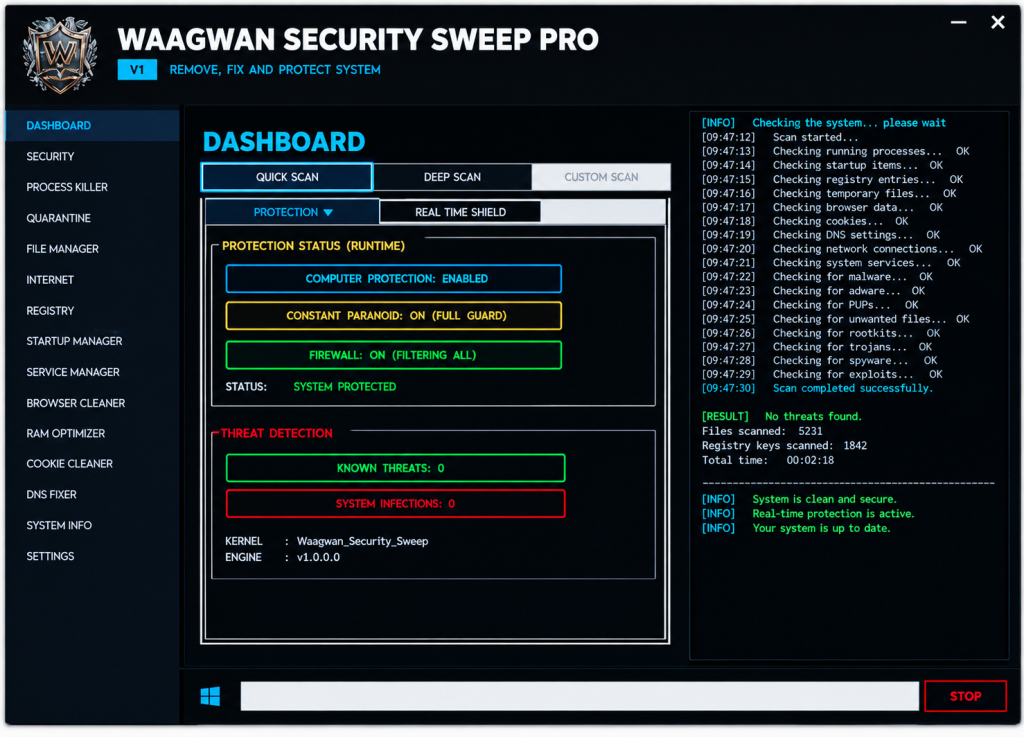
What is Waagwan Security Sweep Pro V9?
Waagwan Security Sweep Pro V9 is an all-in-one Windows mobile servicing and security bypass utility. It combines QR provisioning, hotspot APK delivery, ADB/MTP exploits, BootROM/META protocols, and Qualcomm EDL 9008 flashing into one unified dashboard—allowing technicians to service Android 11 through Android 16 devices smoothly.
Complete Features of Waagwan Security Sweep Pro V9
The V9 release is organized into specialized hubs, each packed with dedicated servicing functions:
1. Dashboard, Sweep Core & Hyper-Sweep
- Provisioning QR Generation: Includes Provisioning Master (U-FRP Logic), Device Owner QR, Minimal QR (Android 16 Fix), and USB-Tunnel QR generators.
- Hotspot Strike (APK Delivery): Built-in provisioning hotspot start/stop controls for direct APK injection.
- Legacy Post-ADB Enrollment: Dedicated Post-ADB Guard for Transsion, Samsung, and HMD/Nokia devices.
- Waagwan Hyper-Sweep: Target brand and hardware architecture selection with Sovereign Guard APK injection, Sovereign Launcher injection (Android 15 Fix), Factory Reset Prevention (DO Policy), Google Play Services enabler, and DNS/internet restoration.
2. Waagwan Bypass Hub
- Universal MTP & ADB: Force ADB (Universal MTP), Force Skip Setup (MTP), MTP Reboot to Fastbootd, Reset Setup Wizard (ADB), Force Device Owner (ADB), and ADB Enable QR generation.
- Hardware & Input Utilities: Virtual Keyboard (BT-HID), MTK Force ADB (BROM), and Force EDL Mode (9008).
3. Samsung Master Hub
- KG Sweep & Zero-Relock: Knox Guard (KG) Remove for Android 14, 15, and 16, KG Recovery, Knox Guard State Probe, Wipe Persistence (ISP/BROM), and Zero-Relock Patch application.
- ADB & Hardware Strikes: MTP ADB Setprop, Pairing Check (DNS), Enable ADB (Hardware), KG Neutralize, Loke Hard-Strike (0x31), FRP Browser Strike (A16), Legacy Strike (A11–A13), and Deep Forensic Strike (GSF).
- Firmware & EFS Management: Heimdall BL, AP, CP, and CSC flashing, Magisk-patched rooted boot flashing, EFS/MFS backup and restore, and Modem Certificate reading.
4. Transsion Master Hub (Infinix, Tecno, Itel)
- ADB & META Mode: Remove Brand ID (ADB), Enable ADB (MTP Exploit), Real VCOM META Mode, Force Preloader to META, ID Logout, Regional Reset, Factory Reset, and Regional Blackscreen Wipe.
- BootROM & BSL Operations: ID Hard-Wipe (FDL/NFDL), FRP Servicing (BootROM), Diag Factory Wipe, Permanent Unlock (SLA/DAA), Integrity Lock Bypass, Full Anticrack Recovery, and Dual-Slot LK Restore (BROM & META Pivot).
5. Xiaomi, ZTE & Qualcomm Master Hubs
- Xiaomi Master Hub: Mi Account Bypass (ADB, Fastboot, and Physical BROM), Sideload Data Wipe, and BootROM FRP Servicing.
- ZTE Master Hub: Target model and chipset selection (e.g., Blade A31), FTM Force ADB, DB-Wipe lock removal, Waagwan MDM Bypass, and BootROM Factory Reset/FRP servicing.
- Qualcomm Master Hub: Offline loader database, Firehose Loader selection (
.elf/.mbn), hardware topology reading, Direct FRP Servicing, Userdata Factory Reset, Bootloader Unlock, Erase Modem NV, and Diag Mode activation.
6. Identity, IMEI & NV Management
- Read device information, read IMEI from phone, IMEI 1 & 2 repair/clear, NV family auto-selection, list/pick/restore NV dumps, and write files directly to memory blocks.
Comprehensive Lock Removal Capabilities (FRP, MDM, KG, PIN & Pattern Locks)
Modern smartphones use multi-layered security protocols to protect user and corporate data. Waagwan Security Sweep Pro V9 provides targeted modules to clear every major type of device lock:
1. FRP Bypass (Factory Reset Protection)
When an Android smartphone is factory reset without signing out of the primary Google account, FRP locks the setup screen. This tool bypasses FRP across Android 11–16 via QR Provisioning, Browser Strikes, ADB/MTP exploits, BootROM, and Direct Qualcomm EDL modes.
2. MDM & Knox Guard (KG) Removal
Enterprise-managed phones, school tablets, or financed devices often carry strict Mobile Device Management (MDM) or Samsung Knox Guard (KG) restrictions. Using KG Sweep, Zero-Relock Patches, and Waagwan MDM Bypass, technicians can neutralize active MDM profiles and prevent relocking after reboot.
3. PIN, Password, and Pattern Lock Reset
Forgetting a screen security credential—such as a numeric PIN, alphanumeric password, or gesture pattern—locks users out of their phones. The tool safely executes DB-Wipe, Userdata Factory Reset, Sideload Data Wipe, and High-Force Master Clear to erase screen locks without damaging core firmware.
4. Brand ID & Account Locks
Beyond standard Android locks, the utility removes Xiaomi Mi Accounts (via ADB, Fastboot, and BROM) and Transsion Brand IDs (Infinix, Tecno, Itel) via ADB and META/FDL hard-wipes.
Supported Brands and Chipsets
Waagwan Security Sweep Pro V9 supports a broad range of global smartphone manufacturers and hardware platforms:
- Supported Brands: Samsung, Xiaomi, Redmi, POCO, Transsion (Infinix, Tecno, Itel), ZTE, HMD/Nokia, and other MediaTek/Qualcomm Android models.
- Supported Chipsets: Qualcomm Snapdragon (EDL 9008), MediaTek (BROM / Preloader / META), Samsung Exynos, and Unisoc/SPD (FDL/NFDL).
System Requirements
| Component | Minimum Requirement |
| Operating System | Windows 7, 8, 10, or 11 (32-bit or 64-bit) |
| Processor | Intel or AMD Dual-Core Processor (2.0 GHz or higher) |
| RAM | 4 GB Minimum (8 GB Recommended) |
| Storage Space | At least 2 GB of free disk space |
| Drivers | Samsung USB, Qualcomm 9008, MTK VCOM, and ADB Drivers |
How to Download and Use Waagwan Security Sweep Pro V9
- Download the Setup Archive: Download the latest Waagwan Security Sweep Pro V9 compressed package (
~72.2 MB) from a trusted source. - Disable Antivirus Temporarily: Security suites often flag mobile servicing tools due to packed exploit scripts and loaders. Temporarily pause real-time protection or add an exclusion folder before extracting.
- Extract the Archive: Use WinRAR or 7-Zip to unpack the downloaded files into a dedicated folder on your
C:drive. - Install Required USB Drivers: Ensure all necessary Samsung, MediaTek VCOM, Qualcomm HS-USB QDLoader 9008, and ADB drivers are properly installed.
- Launch as Administrator: Right-click the main executable file and select Run as administrator so the tool can bind local network/hotspot ports and USB interfaces properly.
- Connect Your Device: Select the appropriate brand hub (Samsung, Transsion, Xiaomi, ZTE, or Qualcomm), connect your phone in the required mode (MTP, Download Mode, BROM, META, or EDL), and run your desired servicing task.
Frequently Asked Questions (FAQ)
Q1: Does Waagwan Security Sweep Pro V9 support Android 15 and Android 16?
Ans: Yes, V9 includes dedicated Android 15 and Android 16 fixes, including Minimal QR generation, Sovereign Launcher injection (A15 Fix), FRP Browser Strike (A16), and Knox Guard removal for Android 14–16.
Q2: Will removing a PIN, pattern, or FRP lock erase device data?
Ans: Yes, screen lock resets, DB-Wipes, and factory resets clear user storage partitions to lift security barriers safely. Always back up accessible data before servicing.
Q3: How does the Zero-Relock Patch work on Samsung devices?
Ans: After removing Knox Guard (KG) or MDM restrictions, applying the Zero-Relock Patch modifies system persistence parameters to prevent the device from re-locking once connected to Wi-Fi or mobile data.
Q4: Why is my PC not detecting the device in BROM, META, or EDL mode?
Ans: Detection issues usually stem from missing USB drivers or faulty cables. Make sure MediaTek VCOM, Samsung USB, or Qualcomm 9008 drivers are installed and connect your phone directly to a rear motherboard USB port using an original data cable.
Conclusion
The Waagwan Security Sweep Pro V9 Latest Version is a powerhouse utility for mobile technicians tackling modern smartphone security locks. By combining QR provisioning, hotspot APK delivery, and dedicated brand hubs for Samsung, Transsion, Xiaomi, ZTE, and Qualcomm devices, it simplifies complex FRP, MDM, Knox Guard, PIN, and pattern lock removals. Always ensure proper USB drivers are installed and follow safe servicing procedures when working on customer devices.


