

MultiUnlockMDM v1.0.0.1 Latest Version Free Download | Complete MDM, Knox Guard, FRP & Lock Removal Guide
Table of Contents
Introduction
In the mobile software repair and servicing industry, technicians regularly encounter complex enterprise policies, carrier financing locks, and strict security updates across modern Android and iOS devices. MultiUnlockMDM v1.0.0.1 Latest Version stands out as a dedicated Windows desktop servicing utility built specifically to tackle Mobile Device Management (MDM), Samsung Knox Guard (KG), IT Admin restrictions, and Factory Reset Protection (FRP).
With its latest release, MultiUnlockMDM v1.0.0.1 introduces permanent KG Active bypass methods without ADB for Android 14, 15, and 16 (supporting security patches up to 01-01-2026), upgraded IT Admin handlers, Remote ADB screen mirroring, and an updated Apple A12–A13 RAMDISK module. This comprehensive guide covers every feature, lock-removal method, system requirement, and activation step.
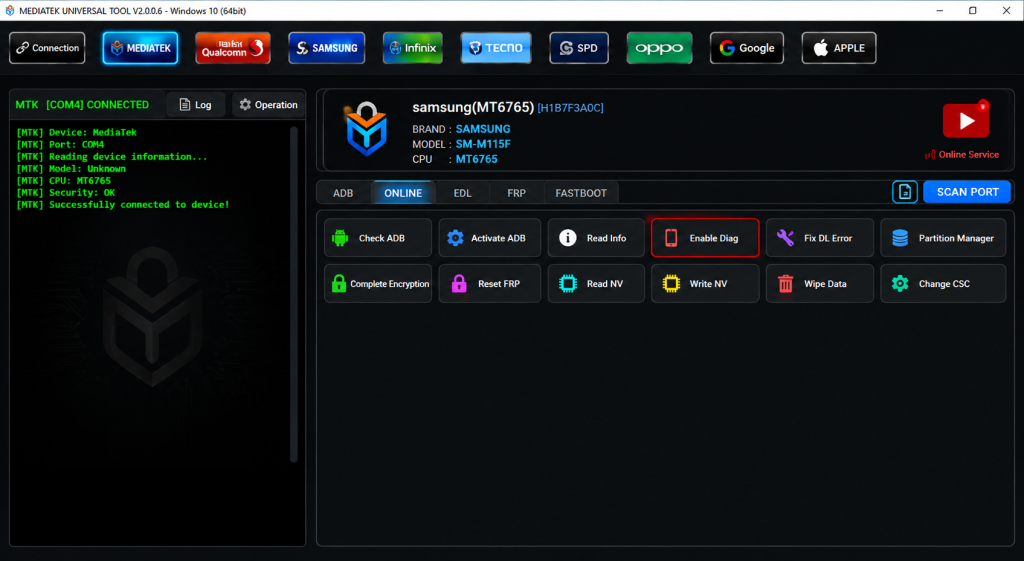
What is MultiUnlockMDM v1.0.0.1?
MultiUnlockMDM v1.0.0.1 is a specialized, Windows-based mobile servicing and device management utility designed for GSM repair technicians. Organized into dedicated modules for Universal MDM, Samsung, Xiaomi, Motorola, OPPO, Google Pixel, ADB Manager, and Apple A12–A13 RAMDISK, it enables technicians to resolve administrative locks, manage system packages, and bypass setup restrictions from one centralized dashboard.
What’s New & Complete Feature Modules in v1.0.0.1
The v1.0.0.1 release combines major security updates with background ADB processing to prevent interface freezing:
1. Samsung Knox Guard (KG) & Security Module
- KG Active Permanente (Without ADB): Supports permanent KG bypass on Android 14, 15, and 16 with security patches up to
01-01-2026. - ADB KG Bypass & Status Modifiers: Includes KG Android 14 All Security, FIX KG Bypass, KG Active 01 (changes Locked status to Active 01 via ADB), Disabled Leyenda (removes post-bypass notices/watermarks), and Security Plugin Method 1 Server to prevent relocking.
- ADB Enabling & Carrier Tools: Features Activate ADB QR (Universal and Samsung), Activate ADB New APK (
MultiUnlockMDM.apk),*#0*#ADB Security (2022–2023), Claro/Telcel Root (co.sitic.ppremoval), and root-assisted Samsung Fake IMEI Change (Vector required).
2. Universal MDM, IT Admin & Financing Lock Module
- IT Admin All Devices (Stable): Stable, non-beta removal of corporate IT Admin / Device Owner policies across all supported security versions.
- PayJoy, AssetLock & Kiosk Removal: Dedicated handlers for PayJoy Zero Trace, PayJoy New App, AssetLockMDM v2.0, MDM Kiosko, Kiosko Universal New Security, and Candado Telcel/Claro (Old & New Security).
3. Xiaomi, Motorola, OPPO & Google Pixel Modules
- Xiaomi Servicing: Includes Disable Mi Account Zero Trace, Claro/Telcel Xiaomi Zero Trace, Kiosko Xiaomi, and Kiosko Zappah!
- Motorola & OPPO: Provides Disable OTA Update Moto, White Screen Moto Kiosko, Claro/Telcel Root, Disabled OTA Root, Kiosko PAKS Root (for Motorola PAKS white-screen cases), and Disable OTA Update for OPPO.
- Google Pixel: Dedicated Google Pixel SIM Unlock utilities.
4. Apple A12–A13 RAMDISK Module
- iOS RAMDISK Utilities: Fixed boot errors and added Bypass Passcode Signal and Factory Reset RAMDISK, alongside Boot/Reboot Devices, Backup/Restore Passcode, Disable OTA, Erase Devices (v1 & v2), Mount SSH (v1 & v2), FIX Recovery Mode, and Registrar Serial A12.
5. ADB Manager, Remote Mirror & AT Console
- Full ADB Package Manager: Filter system, user, enabled, and disabled packages; batch install, uninstall, disable, enable, suspend, force-stop, or clear app cache/data.
- Remote ADB Mirror & AT Console: View and control Android screens directly via ADB even when the touchscreen is unresponsive, execute direct commands via the AT Command Console, and utilize Auto-Update plus HWID Reset (up to 7 times per 24 hours for VIP accounts).
Comprehensive Lock Removal Capabilities (MDM, KG, PayJoy, FRP, PIN & Pattern Locks)
Modern smartphones employ multi-layered security encryption to safeguard user, carrier, and enterprise data. MultiUnlockMDM v1.0.0.1 provides targeted functions to address every major type of device lock:
1. MDM, IT Admin & Kiosk Lock Removal
Corporate-managed phones, school tablets, and enterprise handsets often enforce strict Mobile Device Management (MDM), IT Admin, or single-app Kiosk profiles. Using IT Admin All Devices, AssetLockMDM v2.0, and Kiosko Universal modules, technicians can clear administrative locks across Android 11 through Android 16.
2. Samsung Knox Guard (KG), PayJoy & Carrier Financing Locks
Financed devices restricted by Samsung Knox Guard (KG), PayJoy, or Claro/Telcel carrier locks frequently block device usage or disable factory resets. The utility neutralizes active KG states (KG Active Permanente), applies PayJoy Zero Trace patches, and blocks OTA updates to prevent relocking.
3. FRP Bypass (Factory Reset Protection)
When an Android smartphone is reset without removing the synced Google account, FRP blocks setup access. MultiUnlockMDM includes FRP / Finish Setup handlers, Activate ADB QR provisioning, and *#0*# ADB enabling routines to clear Google verification barriers cleanly.
4. PIN, Password, Pattern & iOS Passcode Reset
Forgetting a screen security credential—whether a numeric PIN, alphanumeric password, gesture pattern, or Apple iOS passcode—renders a device inaccessible. The tool offers Factory Reset RAMDISK, Erase Devices (v1 & v2), Backup/Restore Passcode for Apple A12–A13 devices, and ADB/diagnostic reset workflows to clear screen locks safely.
5. Xiaomi Mi Account & Google Pixel SIM Locks
Beyond standard Android locks, the software provides dedicated functions for Disable Mi Account Zero Trace on Xiaomi devices and SIM Unlock servicing on supported Google Pixel models.
Supported Brands and Platforms
MultiUnlockMDM v1.0.0.1 delivers specialized compatibility across leading mobile ecosystems:
- Supported Android Brands: Samsung Galaxy (Android 11 to Android 16), Xiaomi, Redmi, POCO, Motorola, OPPO, Google Pixel, and general Qualcomm/MediaTek/Unisoc Android handsets via Universal MDM/ADB modules.
- Supported Apple Devices: Apple iPhone and iPad models powered by A12 and A13 chips via RAMDISK mode.
System Requirements
| Component | Minimum Requirement | Recommended Specification |
| Operating System | Windows 8 / 10 (64-bit) | Windows 10 / 11 (64-bit) |
| Processor | Intel Core 2 Duo / AMD Dual-Core (2.0 GHz) | Intel Core i3 / AMD Ryzen 3 or higher |
| RAM | 4 GB RAM | 8 GB RAM or higher |
| Storage Space | 1 GB free disk space ( ~451 MB archive) | 5 GB available space (for RAMDISK & backups) |
| Network & Drivers | Active Internet + ADB / Samsung / Apple Drivers | High-Speed Internet + Full USB Driver Stack |
How to Download, Install, and Activate MultiUnlockMDM v1.0.0.1
- Download the Setup Archive: Download the official MultiUnlockMDM v1.0.0.1 compressed package (
MULTIUNLOCKTOOL_GSMYOGESH.rar, ~451.2 MB) from a trusted repository. - Extract the Main & Setup Archives: Unpack the main
.rararchive using WinRAR or 7-Zip. Inside the extracted folder, locateSetup_MultiUnlockMDM-1.0.0.1.rarand extract it using the archive passwordMDM. - Run the Installer: Right-click
MultiUnlockMDM-Setup-1.0.0.1.exe, select Run as administrator, and follow the setup wizard to complete installation. - Extract the Loader (If Included): Locate
MUM_LOAD.zipin your package, extract it using the passwordgsmyogesh.com, and scan the files with your security software before running. - Install Required USB Drivers: Ensure official Samsung USB, ADB/Fastboot, Motorola/Xiaomi, and Apple Mobile Device drivers are installed in Windows Device Manager.
- Activate HWID & Log In: Launch MultiUnlockMDM (or
MUM_LOAD.exe) as an administrator, copy your generated HWID, obtain your activation key (such as the 10-day free trial activation via the developer’s portal), enter your username and password, and click Ingresar al Sistema. - Connect Device & Execute Task: Accept the release notes, connect your smartphone via a reliable USB cable, select the corresponding module (Samsung, Universal MDM, Xiaomi, Motorola, or Apple RAMDISK), and follow the on-screen prompts.
Frequently Asked Questions (FAQ)
Q1: What are the key highlights of MultiUnlockMDM v1.0.0.1?
Ans: Version v1.0.0.1 adds KG Active Permanente bypass without ADB for Android 14, 15, and 16 (supporting security patches up to 01-01-2026), stable IT Admin All Devices removal, AssetLockMDM v2.0, Remote ADB screen mirroring, and an updated Apple A12–A13 RAMDISK module with Passcode Signal bypass.
Q2: Is MultiUnlockMDM v1.0.0.1 free to use?
Ans: MultiUnlockMDM is free to download and offers a 10-day free trial HWID activation through its official activation portal, alongside paid GOLD and VIP account tiers that unlock advanced modules like the full ADB Manager and extra HWID resets.
Q3: What are the archive passwords for MultiUnlockMDM v1.0.0.1?
Ans: For the standard release distribution, the password for Setup_MultiUnlockMDM-1.0.0.1.rar is MDM, and the password for MUM_LOAD.zip is gsmyogesh.com.
Q4: Will removing MDM, Knox Guard, or a screen lock erase personal data?
Ans: ADB and QR-based MDM, IT Admin, and Knox Guard bypass methods typically preserve user data when performed on an active system, whereas executing a Factory Reset RAMDISK, Erase Devices, or userdata wipe to remove a forgotten PIN, pattern, or passcode will erase all files on the device. Always back up accessible data before servicing.
Conclusion
The MultiUnlockMDM v1.0.0.1 Latest Version is a powerful, specialized utility for mobile repair technicians dealing with modern enterprise, carrier, and financing locks. By combining Android 14–16 permanent Knox Guard (KG) bypass, stable IT Admin and PayJoy removal, Remote ADB screen mirroring, and Apple A12–A13 RAMDISK servicing into one interface, it streamlines complex daily repairs. Always ensure proper USB drivers are installed and verify device ownership or authorization before servicing any handset.


