

TF MTK Tool v0.2 Latest Version (Self Register) Free Download | Complete MediaTek FRP, MDM & Lock Removal Guide
Table of Contents
Introduction
In the mobile software repair and flashing industry, servicing smartphones powered by MediaTek (MTK) processors requires a fast, reliable utility capable of bypassing Download Agent (DA) authentication and handling modern security encryptions. Developed by TechnoFayez, TF MTK Tool v0.2 Latest Version (Self Register) stands out as an accessible, free Windows servicing utility engineered specifically for mobile repair technicians.
Featuring a built-in free account registration system without requiring expensive hardware boxes or dongles, TF MTK Tool v0.2 organizes its workflow into 8 dedicated servicing sections. This comprehensive guide covers every feature, lock-removal capability, system requirement, and setup step.
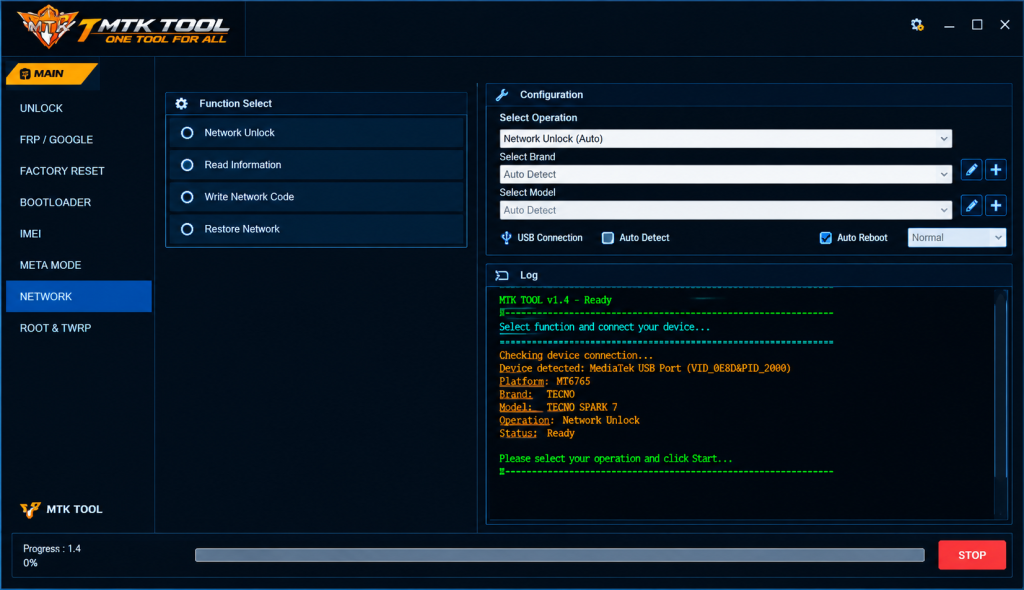
What is TF MTK Tool v0.2?
TF MTK Tool v0.2 is a specialized Windows-based mobile servicing and security utility designed exclusively for Android smartphones and tablets running on MediaTek chipsets. It combines SLA/DAA/SBC authentication bypass, scatter firmware flashing, GPT/RPMB partition management, Xiaomi Little Kernel (LK) patching, and 1-click security unlocking into a clean, user-friendly dashboard.
Complete Features & 8 Interface Sections of TF MTK Tool v0.2
The v0.2 release divides its capabilities into 8 core service sections, giving technicians granular control over MediaTek devices:
- 1. Flasher Section: Supports MediaTek firmware flashing in Download Only mode with Auto Device Selection or manual brand/model selection. Includes dedicated slots to load custom DA (Download Agent), AUTH, and Preloader files, plus Crash Preloader and Patch DA options.
- 2. Features Service Section: Houses 1-click bypass and bootloader modules, including Bypass SLA/DAA and SBC, Crash Preloader, Bypass FRP, Format Device, Unlock Bootloader, and Relock Bootloader.
- 3. Partitions Section: Reads full device partition tables (displaying partition names, start addresses, and end addresses), allowing technicians to selectively read or erase individual partitions.
- 4. Read / Write Section: Enables low-level memory operations including Read/Write Raw Firmware, Read/Write GPT partition tables, and Read/Write Preloader images.
- 5. RPMB Section: Dedicated Replay Protected Memory Block management allowing technicians to Read RPMB, Write RPMB, and Erase RPMB partitions on compatible devices.
- 6. Keys & Network Sections: Includes Read Keys utilities alongside NV Data and OEM Information management for restoring network calibration parameters.
- 7. Bootloader / LK Patcher (Xiaomi Chip): Load and verify Little Kernel (
lk.bin) files, execute Image Patch, export configurations, and save patched bootloader files for Xiaomi MediaTek devices. - 8. Built-In Self-Registration & Live Logs: Create a free user account directly from the login screen and monitor real-time connection handshakes and error diagnostics via the live log panel.
Comprehensive Lock Removal Capabilities (FRP, MDM, PIN, Pattern & Network Locks)
Modern MediaTek Android devices incorporate multi-layered security encryption to safeguard user and enterprise data. TF MTK Tool v0.2 provides dedicated modules to clear every major type of device lock:
1. FRP Bypass (Factory Reset Protection)
When an Android smartphone is factory reset without signing out of the primary Google account, FRP locks the setup wizard. TF MTK Tool v0.2 executes a 1-Click Bypass FRP in BROM and Preloader modes after bypassing SLA/DAA security, cleanly erasing Google verification partitions without damaging system files.
2. MDM & Enterprise Security Removal
Corporate-managed phones, school tablets, or financed devices often enforce strict Mobile Device Management (MDM) or administrative lock profiles. Using selective partition erasure, low-level formatting, and clean firmware flashing via the Flasher tab, technicians can neutralize active MDM restrictions and restore normal device operation.
3. PIN, Password, and Pattern Lock Reset
Forgetting a screen security lock—whether a numeric PIN, alphanumeric password, or gesture pattern—renders a phone inaccessible. The utility includes a dedicated Format Device option under the Features Service section to safely wipe userdata partitions and clear screen locks without bricking the handset.
4. Bootloader & Network Restrictions
For MediaTek devices locked to restricted boot states or network configurations, TF MTK Tool v0.2 provides direct Unlock Bootloader routines, Xiaomi LK Patcher support, and Network/NV restoration utilities.
Supported Chipsets and Brands
TF MTK Tool v0.2 offers broad cross-platform compatibility across legacy and modern MediaTek hardware architectures:
- Supported MediaTek Chipsets: MediaTek Helio series (
Helio P22,P35,P60,P70,G25,G35,G36,G70,G80,G85,G88,G95,G96,G99), Dimensity series (Dimensity 700,800,810,900,1080,6020,6080,7050), andMT67xx / MT68xxplatforms. - Supported Brands: Xiaomi, Redmi, POCO, OPPO, Realme, Vivo, Samsung (MediaTek variants), Infinix, Tecno, Itel, Motorola, Nokia/HMD, and other MTK-powered Android smartphones.
System Requirements
| Component | Minimum Requirement | Recommended Specification |
| Operating System | Windows 8 / 10 (32-bit & 64-bit) | Windows 10 / 11 (64-bit) |
| Processor | Intel Core 2 Duo / AMD | Intel Core i3 / AMD Ryzen 3 |
| RAM | 2 GB RAM | 4 GB RAM or higher |
| Storage Space | 500 MB free disk space | 5 GB available space (for firmware & logs) |
| USB Drivers | MediaTek VCOM & Preloader USB Drivers | MTK VCOM + USBDK Filter Drivers |
How to Download, Self-Register, and Use TF MTK Tool v0.2
- Download the Setup Archive: Download the official TF MTK Tool v0.2 (
TF_MTK_Tool_v0.2.zip, ~70 MB) compressed setup package from a trusted source. - Temporarily Pause Antivirus: Windows Defender and third-party antivirus suites often flag mobile servicing tools due to packed DA bypass scripts. Temporarily disable real-time protection or add an exclusion folder before extracting.
- Extract the Files: Right-click the downloaded
.ziparchive and extract it into a dedicated folder on yourC:drive using WinRAR or 7-Zip. - Install MediaTek USB Drivers: Install MediaTek Preloader USB VCOM Drivers and USBDK on your Windows PC so the software can detect devices in BROM/Preloader modes.
- Launch & Self-Register: Right-click the main
.exefile and select Run as administrator. On the login window, click CREATE NEW ACCOUNT, enter your details, and click REGISTER. Once registered, click BACK TO LOGIN and sign in with your new credentials. - Connect Device & Execute Task: Select Auto or manually choose your brand and model. Navigate to your desired tab (Flasher, Features Service, Partitions, Read/Write, RPMB, or Bootloader), click Start, power off your MediaTek phone completely, hold
Volume Up + Volume Down(boot key), and plug in a reliable USB cable.
Frequently Asked Questions (FAQ)
Q1: Is TF MTK Tool v0.2 free to use?
Ans: Yes, TF MTK Tool v0.2 (credited to TechnoFayez) is completely free and includes a built-in Create New Account self-registration system so you can activate your login without paying for credits or a dongle.
Q2: How do I create an account in TF MTK Tool v0.2?
Ans: Launch the tool as an administrator, click CREATE NEW ACCOUNT on the login prompt, enter your desired username and password, click REGISTER, and then select BACK TO LOGIN to access the 8 main servicing sections.
Q3: Will removing a PIN, pattern, or FRP lock delete personal data?
Ans: Yes, using the Format Device or userdata partition erase functions to clear a forgotten PIN, pattern, or FRP lock will wipe personal data from the phone. Always back up accessible data and read NV / Partition backups before servicing.
Q4: Why is my PC failing to detect my MediaTek phone in BROM or Preloader mode?
Ans: Connection errors usually occur due to missing drivers or Windows Driver Signature Enforcement. Make sure MediaTek VCOM Drivers and USBDK are installed, use an original USB data cable connected directly to a rear motherboard port, and try the Crash Preloader option if the device refuses to enter BROM mode.
Conclusion
The TF MTK Tool v0.2 Latest Version (Self Register) is a comprehensive, lightweight utility for mobile repair technicians working with MediaTek Android smartphones. By combining free self-registration, automatic SLA/DAA/SBC authentication bypass, an 8-tab servicing interface (including RPMB and Xiaomi LK Patcher), and 1-click FRP, MDM, PIN, and pattern lock removal, it simplifies everyday servicing tasks. Always ensure proper MediaTek VCOM drivers are installed and back up NVRAM/partition data before executing low-level operations.


