

Unlock Tool v2026.10.15.0 Latest Version Free Download | Best FRP, MDM & Lock Removal Guide
Table of Contents
In the mobile software repair industry, having a fast, reliable, and multi-brand servicing solution is essential for resolving complex software restrictions. The Unlock Tool v2026.10.15.0 Latest Version stands out as one of the most comprehensive Windows utilities built for mobile technicians. With major updates targeting modern Android versions and Samsung Exynos platforms, this build streamlines security unlocking and firmware servicing.
If you want to explore every feature of Unlock Tool v2026.10.15.0, its changelog, and how it handles FRP, MDM, PIN, and pattern locks, this complete guide covers all the details.
What is Unlock Tool v2026.10.15.0?
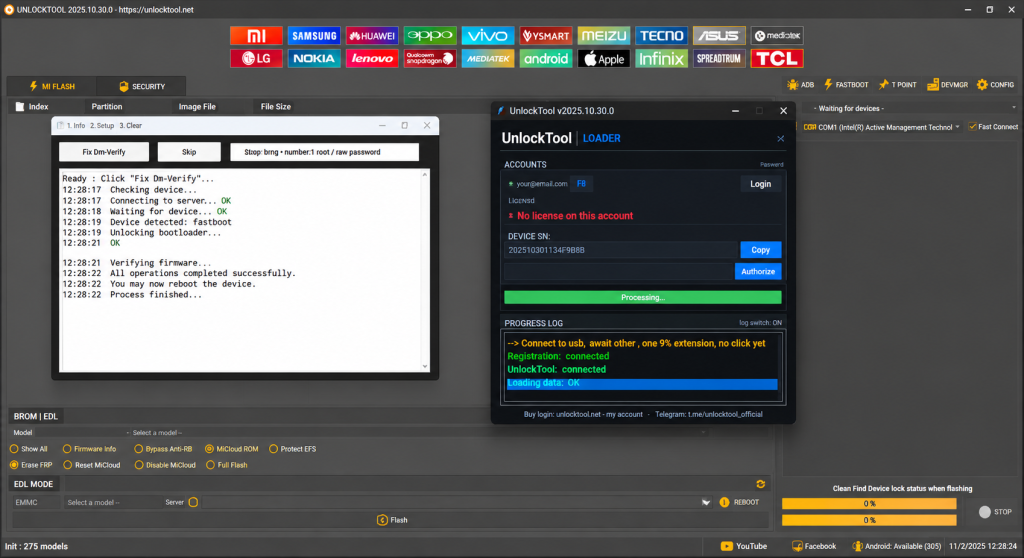
Unlock Tool v2026.10.15.0 is an all-in-one Windows-based mobile servicing utility designed to perform FRP removal, factory resets, firmware flashing, partition readbacks, and system diagnostics across Android and iOS devices. It eliminates the need for multiple separate boxes or dongles by integrating direct chipset protocols (EDL, Odin Download Mode, BROM, and Fastboot) into a single dashboard.
What’s New & Key Features of Unlock Tool v2026.10.15.0
The v2026.10.15.0 release introduces major enhancements for newer devices and security patches:
- Auto 1-Click Samsung Exynos FRP Removal: Remove Factory Reset Protection directly in Odin Download Mode without needing to enable ADB.
- Android 15, 16 & 17 Support: Full compatibility with the latest Android iterations and Samsung One UI versions up to One UI 8.5 and 9.0 (tested on security patches up to September 5, 2026).
- Updated Qualcomm Loaders: Includes new Qualcomm Firehose loaders for seamless FRP erase, factory reset, readback, and flash backup tasks on modern devices.
- Expanded Samsung Model Support: Added dedicated loader support for Samsung Tab A9+ (
SM-X216NBIT-D), Galaxy A23 5G (SM-A236B/E/MBIT-H), and Galaxy F14 4G (SM-E145FBIT-D). - Firmware Flashing & Partition Management: Read, write, and back up full stock firmware, NVRAM, and security partitions safely.
- Bootloader Unlock & Relock: One-click bootloader unlocking and relocking for supported Xiaomi, MediaTek, and Qualcomm devices.
Comprehensive Lock Removal Capabilities (FRP, MDM, PIN, Pattern & Account Locks)
Modern smartphones employ multi-layered security encryption to safeguard user data. Unlock Tool v2026.10.15.0 provides specialized modules to clear every major type of device lock:
1. FRP Bypass (Factory Reset Protection)
When a smartphone is factory reset without removing the synced Google account, FRP locks the setup wizard. Unlock Tool v2026.10.15.0 bypasses Google verification cleanly via Odin Download Mode (for Samsung Exynos), EDL Mode (for Qualcomm), and BROM/Preloader Mode (for MediaTek) across Samsung, Xiaomi, Redmi, POCO, OPPO, Vivo, Realme, and Motorola.
2. MDM & Knox Guard (KG) Removal
Corporate-managed devices, school tablets, or financed handsets often enforce strict Mobile Device Management (MDM) or Samsung Knox Guard (KG) restrictions. This utility clears active MDM profiles and removes demo modes on OPPO, Vivo, and Samsung handsets, restoring full administrative access to the user.
3. PIN, Password, and Pattern Lock Reset
If a user forgets their screen lock—whether a numeric PIN, alphanumeric password, or gesture pattern—Unlock Tool safely formats the user data and security partitions without corrupting the operating system or IMEI basebands.
4. Brand-Specific Account & Cloud Locks
Beyond standard Android locks, the dashboard also supports removing Xiaomi Mi Account locks, Huawei/Honor IDs, Vivo V-Accounts, and selected Apple iOS Ramdisk/Hello bypass operations.
Supported Chipsets and Brands
Unlock Tool v2026.10.15.0 delivers broad hardware compatibility across global smartphone platforms:
- Samsung Exynos Chipsets: Wide coverage from
Exynos 850up toExynos 2600(including 990, 1080, 1280, 1380, 1480, 1580, 2100, 2200, 2400, and 2500). - Qualcomm Snapdragon: Full EDL 9008 flashing, readback, and FRP servicing.
- MediaTek (MTK): Auth bypass without a hardware box, BROM, and Meta mode operations.
- Unisoc (SPD): PAC file flashing and fast security resets.
- Supported Brands: Samsung, Xiaomi, Redmi, POCO, OPPO, Realme, Vivo, OnePlus, Huawei, Honor, Motorola, Infinix, Tecno, LG, Nokia, ZTE, and Apple.
System Requirements
| Component | Minimum Requirement |
| Operating System | Windows 7, 8, 10, or 11 (32-bit or 64-bit) |
| Processor | Intel or AMD Dual-Core Processor (2.0 GHz or higher) |
| RAM | 4 GB Minimum (8 GB Recommended) |
| Storage Space | At least 2 GB of free disk space |
| USB Drivers | Samsung USB, Qualcomm 9008, MTK VCOM, and ADB Drivers |
How to Download and Install Unlock Tool v2026.10.15.0
- Download the Setup Archive: Download the latest
Unlock Tool v2026.10.15.0compressed archive from a trusted source. - Temporarily Pause Antivirus: Security suites often flag mobile servicing utilities due to packed loader scripts. Temporarily disable real-time protection or add an exclusion folder before extracting.
- Extract the Files: Right-click the downloaded
.zipor.7zfile and extract it using WinRAR or 7-Zip. - Install Required Drivers: Ensure all necessary USB drivers (Samsung, Qualcomm, MediaTek, and USBDK) are installed on your Windows PC.
- Run as Administrator: Open the extracted folder, right-click the main executable/loader file, and select Run as administrator.
- Log In & Connect Device: Enter your credentials on the login screen to load the main dashboard. Boot your target smartphone into the required mode (Odin Download Mode, EDL, or Fastboot), connect it via a high-quality USB cable, and execute your desired repair operation.
Frequently Asked Questions (FAQ)
Q1: What is new in Unlock Tool v2026.10.15.0?
Ans: The v2026.10.15.0 update adds 1-Click FRP removal for Samsung Exynos devices directly in Odin Download Mode (no ADB required), updated Qualcomm loaders, and support for Android 15, 16, and 17 with One UI up to 9.0.
Q2: Can Unlock Tool v2026.10.15.0 remove FRP without enabling ADB?
Ans: Yes, for supported Samsung Exynos models, you can erase FRP directly through Odin Download Mode with a single click without needing ADB enabled.
Q3: Will removing a PIN, pattern, or FRP lock erase phone data?
Ans: Yes, performing a screen lock reset, factory reset, or FRP removal clears user partitions to safely lift security restrictions. Always back up accessible data beforehand.
Q4: Why does my PC fail to detect my device in EDL or Download Mode?
Ans: Connection failures usually happen due to missing drivers or faulty cables. Ensure Samsung USB Drivers, Qualcomm HS-USB QDLoader 9008 drivers, or MediaTek VCOM drivers are properly installed and use an original data cable connected directly to a motherboard USB port.
Conclusion
The Unlock Tool v2026.10.15.0 Latest Version is an essential all-in-one utility for mobile repair technicians handling modern Android security patches. With its 1-click Samsung Exynos FRP bypass in Download Mode, updated Qualcomm loaders, and complete support for MDM, PIN, and pattern lock removal across Android 15, 16, and 17, it drastically reduces servicing time. Always ensure proper USB drivers are installed and follow safe flashing practices when servicing devices.


