iFixTool 2.0 (v2.0) Powerful Mac and Windows Download | Complete iOS & Android Lock Removal, MDM, FRP & Bypass Guide
Table of Contents
Introduction
In the mobile software repair and servicing industry, technicians often work across both macOS and Windows workstations to service Apple iOS and Android devices. iFixTool 2.0 (v2.0) for Mac and Windows bridges this gap by offering a unified, cross-platform desktop servicing utility engineered for fast lock removal, system recovery, and device diagnostics.
Whether you need to bypass iCloud Activation Lock on supported checkm8 iPhones and iPads, remove corporate MDM profiles, clear forgotten screen passcodes, or handle Android FRP, PIN, and pattern resets, iFixTool 2.0 delivers an intuitive workflow without requiring complicated terminal commands. This comprehensive guide covers every feature, lock-removal capability, system requirement, and setup step.
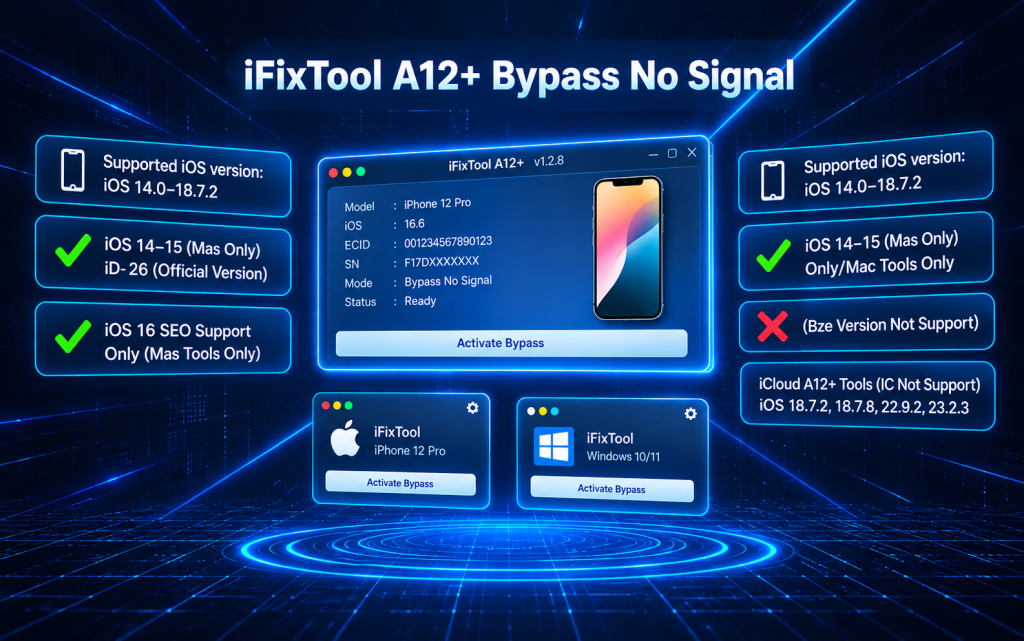
What is iFixTool 2.0?
iFixTool 2.0 is a cross-platform mobile servicing and unlocking software compatible with both Apple macOS and Microsoft Windows. Designed for GSM repair technicians and everyday users, it combines automated DFU/Recovery Mode boot utilities, RAMDISK operations, iOS system repair, and multi-brand lock removal modules into a clean, easy-to-navigate interface.
Complete Features & Servicing Modules of iFixTool 2.0
The v2.0 release packs an extensive suite of servicing utilities for both Apple iOS and Android platforms:
- Cross-Platform Mac & Windows Engine: Native builds for both macOS (Intel & Apple Silicon) and Windows 10/11, eliminating the need for dual-booting or virtual machines.
- iCloud Hello Screen & Activation Lock Bypass: Supports tethered and untethered Hello Screen bypass on compatible checkm8 iOS devices (
iPhone 5sthroughiPhone X, plus supported iPads) with OTA update blocking and fake-reset protection. - Passcode / Disabled Screen Backup & Bypass: Back up activation records (
FairPlay/IC-Info.sisv/ activation tokens) from passcode-locked or disabled iPhones in RAMDISK mode, wipe the device, and restore activation files with full signal support on eligible models. - 1-Click Recovery & DFU Mode Assistant: Enter or exit iOS Recovery Mode in a single click and follow visual on-screen button-combination guides to boot into DFU or Pwned DFU mode.
- iOS System Repair & IPSW Flasher: Fix stuck Apple logos, boot loops, black screens, and update errors without data loss, or flash official IPSW firmware packages cleanly.
- Android FRP, ADB & Fastboot Utilities: Includes Android MTP browser launchers, ADB FRP reset, factory reset utilities, and Fastboot partition/bootloader tools for supported Android handsets.
- Device Diagnostics & ECID / Serial Reader: Automatically detects connected devices, reading IMEI, Serial Number, ECID, iOS/Android firmware version, jailbreak status, and battery health.
Comprehensive Lock Removal Capabilities (iCloud, MDM, FRP, PIN & Pattern Locks)
Modern smartphones incorporate multi-layered security encryption to safeguard user and enterprise data. iFixTool 2.0 provides dedicated modules to address every major type of device lock:
1. MDM & Corporate Supervision Profile Removal
Company-owned iPhones, school iPads, and enterprise Android devices often enforce strict Mobile Device Management (MDM) or Remote Management lock screens. Using 1-Click MDM Bypass (without requiring username/password credentials on iOS) and ADB device-management utilities on Android, technicians can clear enterprise supervision profiles cleanly.
2. iCloud Activation Lock & Apple ID Removal
When an iPhone or iPad is reset without signing out of Find My, the iCloud Activation Lock restricts setup access. iFixTool 2.0 provides dedicated Hello Screen Bypass and Open Menu Apple ID Removal modules for supported iOS versions and chipsets.
3. FRP Bypass (Factory Reset Protection)
When an Android smartphone is factory reset without unlinking the primary Google account, FRP blocks the setup wizard. iFixTool 2.0 includes MTP / ADB FRP Bypass and Fastboot FRP erase utilities to clear Google verification locks on supported Android models.
4. PIN, Password, Pattern & iOS Screen Passcode Reset
Forgetting a screen security lock—whether a 4-digit/6-digit iOS passcode, numeric PIN, alphanumeric password, or Android gesture pattern—renders a device inaccessible. The tool features RAMDISK Passcode Bypass, iOS Factory Wipe, and Android Factory Reset / Format Userdata options to erase screen locks safely.
5. Screen Time & Carrier SIM Restrictions
Beyond primary device locks, iFixTool 2.0 offers targeted utilities to remove forgotten iOS Screen Time / Restrictions passcodes without data loss and assist with carrier diagnostic checks on supported models.
Supported Devices and Operating Systems
iFixTool 2.0 delivers broad cross-platform compatibility across Apple and Android ecosystems:
- Supported Apple Devices: iPhone
5s,6,6 Plus,6s,6s Plus,SE (1st Gen),7,7 Plus,8,8 Plus,X, and newer models (for MDM, Screen Time, Recovery/DFU, and Open Menu Apple ID services), plus supported iPad Air, iPad Mini, and iPad Pro models (iOS 12up toiOS 17/18depending on the specific module). - Supported Android Brands: Samsung Galaxy, Xiaomi, Redmi, POCO, OPPO, Realme, Vivo, Motorola, Huawei, and general Qualcomm/MediaTek Android devices via MTP, ADB, and Fastboot modes.
System Requirements (Mac & Windows)
| Component | Windows Requirement | macOS 10.13 High Sierra up to macOS Sequoia/Sonoma |
| Operating System | Windows 7, 8, 10, or 11 (64-bit Recommended) | macOS 10.13 High Sierra up to macOS Sequoia/Sonoma |
| Processor | Intel Core 2 Duo / AMD Dual-Core (2.0 GHz+) | Intel Core processor or Apple Silicon (M1/M2/M3/M4) |
| RAM | 4 GB RAM Minimum (8 GB Recommended) | 4 GB RAM Minimum (8 GB Recommended) |
| Storage Space | 1 GB free disk space (more for IPSW firmware) | 1 GB free disk space (more for IPSW firmware) |
| Drivers & Runtimes | iTunes / Apple Mobile Device Support + ADB/USB Drivers | Built-in macOS USB Drivers + Xcode Command Line Tools |
How to Download, Install, and Use iFixTool 2.0
- Download the Appropriate Build: Download the official iFixTool 2.0 installer for your operating system—
.exe/.zipfor Windows or.dmg/.pkgfor macOS—from a trusted repository. - Prepare Your Workstation:
- On Windows: Temporarily pause real-time antivirus protection so packed USB/RAMDISK utilities are not blocked, extract the archive, and ensure Apple Mobile Device Support (iTunes) and Android ADB/USB Drivers are installed.
- On macOS: Open the
.dmgimage, drag iFixTool 2.0 into your Applications folder, and allow the app under System Settings – Privacy & Security if prompted by Gatekeeper.
- Launch iFixTool 2.0: Open the application (using Run as administrator on Windows) and sign in or activate your license if prompted.
- Connect Device & Select Mode: Connect your iPhone, iPad, or Android smartphone using an original Lightning or USB-C data cable. Boot the device into the required mode (Normal/MTP Mode, Recovery Mode, DFU / Pwned DFU Mode, or ADB/Fastboot Mode).
- Execute Lock Removal or Repair: Select your target module (Bypass iCloud, Remove MDM, Passcode Bypass, Android FRP, or Factory Reset), click Start, and wait for the progress bar to complete without disconnecting the cable.
Frequently Asked Questions (FAQ)
Q1: Is iFixTool 2.0 compatible with both Mac and Windows computers?
Ans: Yes, iFixTool 2.0 provides dedicated builds for both macOS (supporting Intel and Apple M-series Macs) and Windows (Windows 7 through Windows 11).
Q2: Can iFixTool 2.0 remove MDM locks without a username and password?
Ans: Yes, the built-in MDM Bypass module removes corporate Mobile Device Management (MDM) remote supervision screens on supported iOS and Android devices without requiring enterprise login credentials.
Q3: Will removing a PIN, pattern, passcode, or FRP lock delete personal data?
Ans: Removing MDM profiles or Screen Time passcodes typically preserves user data. However, performing a device wipe or factory reset to clear a forgotten iOS Passcode, Android PIN/Pattern, or FRP lock will erase user storage partitions. Always back up accessible data before servicing.
Q4: Why is my Windows PC or Mac failing to detect my iPhone in DFU mode?
Ans: On Windows, DFU detection issues usually occur when Apple Mobile Device USB Drivers (installed via iTunes) are missing or outdated. On both Mac and Windows, avoid USB-C hubs when entering Pwned DFU mode—use an official Apple USB-A to Lightning cable connected directly to a primary USB port.
Conclusion
The iFixTool 2.0 (v2.0) for Mac and Windows is a versatile, cross-platform servicing utility built for mobile repair technicians and everyday users alike. By combining iCloud Activation Lock bypass, 1-click MDM removal, iOS passcode RAMDISK tools, system recovery, and Android FRP, PIN, and pattern lock removal into a single unified workflow across macOS and Windows, it simplifies complex multi-OS repairs. Always ensure official Apple and Android USB drivers are installed and verify device compatibility before executing low-level operations.