E-GSM Tool Android Test Point Diagrams (1354) Free Download
Table of Contents
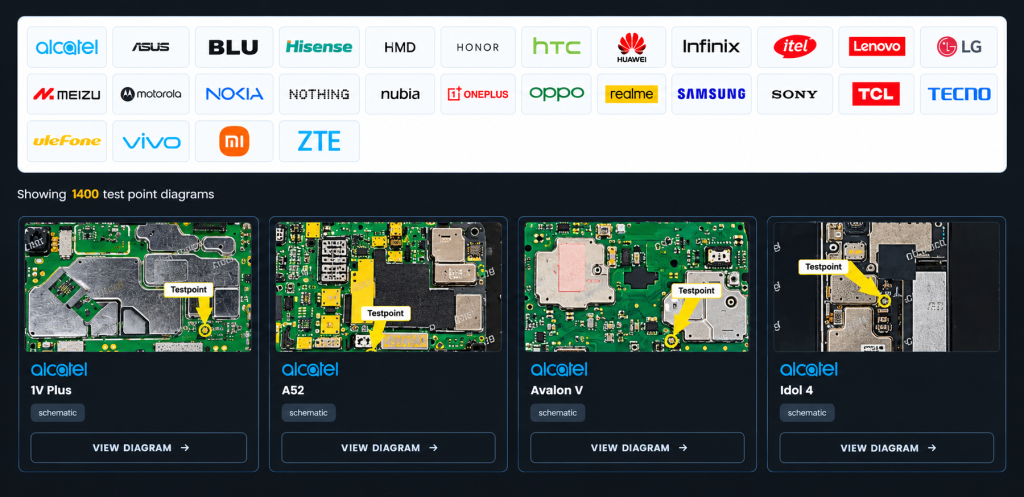
In the mobile hardware and software repair industry, modern Android security patches frequently block standard USB button combinations from entering low-level emergency service ports. Whether a smartphone is stuck on a forgotten screen lock, locked by Factory Reset Protection (FRP), restricted by Mobile Device Management (MDM), or completely dead-bricked after a failed firmware flash, technicians must force the motherboard into Qualcomm EDL 9008, MediaTek BROM, or Direct eMMC/UFS ISP mode. E-GSM Tool Android Test Point Diagrams (1354 Models) provides an exhaustive, high-resolution offline hardware blueprint library engineered specifically for GSM technicians.
Featuring 1,354 verified PCB motherboard diagrams, this reference utility eliminates the risk of shorting wrong SMD capacitors or searching endlessly across unreliable forums—allowing repair professionals to establish instant hardware handshakes with their favorite flashing and unlocking tools. This comprehensive guide covers every feature, lock-servicing role, system requirement, and step-by-step usage procedure.
How Test Point Diagrams Enable Lock Removal (FRP, MDM, Knox, PIN & Pattern Locks)
Modern Android firmware blocks software-level ADB and Fastboot exploits on patched bootloaders. By using E-GSM Tool Android Test Point Diagrams (1354 Models) to force a handset into EDL 9008, BROM, or ISP Mode, technicians gain direct hardware-level partition access to clear every major lock:
1. FRP Bypass (Factory Reset Protection)
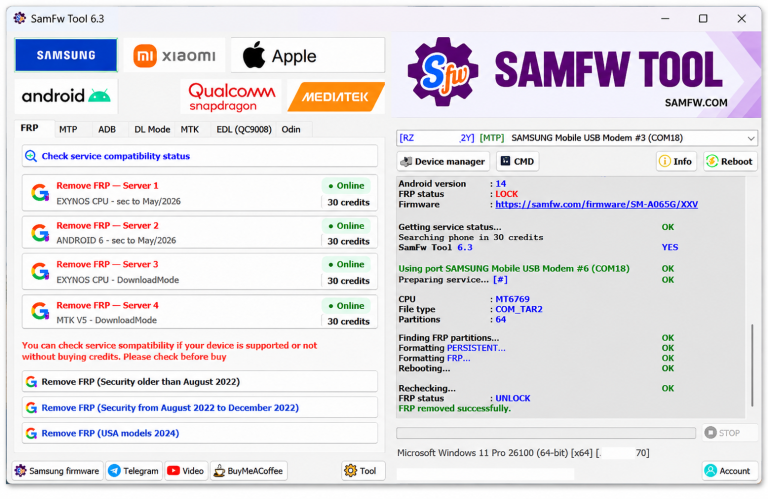
When a smartphone is factory reset without signing out of the primary Google account and *#0*# or MTP exploits are patched, shorting the exact motherboard test point forces Qualcomm HS-USB QDLoader 9008 or MediaTek USB Port (BROM) detection—allowing servicing tools to erase the frp / persistent partition in seconds.
2. MDM, Knox Guard (KG) & Carrier Lock Removal
Corporate-managed phones, school tablets, and carrier-financed devices often disable button-combo Recovery and Download modes to prevent Mobile Device Management (MDM) or Samsung Knox Guard (KG) removal. Hardware test-point entry bypasses OS-level button restrictions so technicians can patch security partitions, disable MDM/KG agents, or write clean factory dumps.
3. PIN, Password, and Pattern Lock Reset
Forgetting a screen security credential—whether a numeric PIN, alphanumeric password, or gesture pattern—renders a device inaccessible, especially when Recovery Mode is restricted by enterprise or brand policies. Using the diagram’s test points to establish an EDL/BROM connection lets technicians perform a Safe Format (on supported unencrypted/legacy builds) or a clean userdata wipe without damaging baseband calibration (EFS/NVRAM).
4. Brand Account & Dead-Boot Unbricking (Mi Account / Huawei ID)
Beyond screen and Google locks, hardware test-point access is mandatory for clearing Xiaomi Mi Account locks, removing Huawei / Honor ID on Kirin/Qualcomm boards, and reviving hard-bricked devices stuck in 9008 or dead-boot states.
Supported Brands and Chipsets
E-GSM Tool Android Test Point Diagrams (1354 Models) covers 1,354 models across leading smartphone manufacturers and hardware platforms:
- Supported Brands: Samsung Galaxy (
A,M,F,S,Note,J, andTabseries), Xiaomi, Redmi, POCO, OPPO, Realme, OnePlus, Vivo, iQOO, Huawei, Honor, Motorola, Nokia/HMD, Lenovo, TECNO, Infinix, Itel, and ZTE. - Supported Chipsets: Qualcomm Snapdragon (
EDL 9008), MediaTek (MTK BROMHelio & Dimensity series), HiSilicon Kirin (USB COM 1.0), and Unisoc / Spreadtrum (SPDboot points).
System Requirements
| Component | Minimum Requirement | Recommended Specification |
| Operating System | Windows 7 / 8 / 10 (32-bit & 64-bit) | Windows 10 / 11 (64-bit) |
| Processor | Intel Core 2 Duo / AMD Dual-Core (1.8 GHz) | Intel Core i3 / AMD Ryzen 3 or higher |
| RAM | 2 GB RAM | 4 GB RAM or higher |
| Storage Space | 1 GB free disk space | 3 GB+ available space (for high-res image database) |
| Companion Hardware & Drivers | Non-magnetic ESD Tweezers + Qualcomm 9008 & MTK VCOM Drivers | USB Microscope + Full Chipset USB Driver Pack |
How to Download, Set Up, and Use E-GSM Tool Android Test Point Diagrams
- Download the Diagram Package: Download the E-GSM Tool Android Test Point Diagrams (1354 Models) compressed
.raror.ziparchive from a trusted repository. - Extract All Files to One Folder: Unpack the archive into a dedicated folder on your
C:drive (e.g.,C:\EGSM_Test_Points_1354) using WinRAR or 7-Zip so the image database folders remain intact alongside the viewer executable. - Install Chipset Emergency Drivers: Ensure Qualcomm HS-USB QDLoader 9008, MediaTek Preloader VCOM, and Huawei USB COM 1.0 drivers are installed in Windows Device Manager before connecting any disassembled phone.
- Launch the Diagram Viewer: Right-click the E-GSM Test Point Viewer executable and select Run as administrator.
- Search & Locate Your Exact PCB Model: Select your brand and search your exact model number (e.g.,
SM-A057ForRedmi Note 12), then zoom in on the highlighted motherboard test points. - Disconnect Battery & Short Test Points Safely: Power off the phone, remove the back cover, disconnect the battery flex connector first to prevent short-circuit damage, bridge the two marked test-point pads (or test point to GND shield as indicated) using insulated precision tweezers, connect the USB cable to a rear PC port, release the tweezers once Windows Device Manager detects
Qualcomm 9008orMediaTek USB Port, and run your FRP, MDM, PIN/pattern, or flashing operation in your servicing tool.
Frequently Asked Questions (FAQ)
Q1: How many phone models are included in E-GSM Tool Android Test Point Diagrams?
Ans: This release includes 1,354 verified high-resolution Android motherboard diagrams covering Samsung, Xiaomi, Redmi, POCO, OPPO, Realme, Vivo, Huawei, Honor, Motorola, Nokia, and more.
Q2: Does E-GSM Tool Android Test Point Diagrams remove FRP, MDM, or PIN locks by itself?
Ans: No, it is a hardware schematic and PCB test-point reference viewer. It shows you the exact motherboard points to short so your PC recognizes the phone in EDL 9008 or BROM mode—after which you use a software servicing tool (like E-GSM Tool, UnlockTool, or UMT) to clear FRP, MDM, PIN, or pattern locks.
Q3: Should I keep the battery connected while shorting motherboard test points?
Ans: No—on almost all modern Qualcomm and MediaTek smartphones, you should disconnect the battery flex cable before shorting test points with tweezers and plugging in the USB cable. Keeping the battery plugged in can cause the device to boot normally instead of entering EDL/BROM mode or risk an accidental short circuit.
Q4: Does this diagram viewer require an internet connection or dongle?
Ans: No, once extracted onto your Windows PC, E-GSM Tool Android Test Point Diagrams (1354 Models) runs completely offline without requiring an internet connection, login subscription, or physical dongle.
Conclusion
The E-GSM Tool Android Test Point Diagrams (1354 Models) library is an indispensable hardware reference for every mobile repair technician’s bench PC. By providing 1,354 searchable, zoomable motherboard pinout blueprints for Qualcomm EDL 9008, MediaTek BROM, and ISP connections, it enables fast, accurate low-level access for FRP bypass, MDM/Knox removal, PIN and pattern lock resets, and dead-boot firmware recovery without risking PCB damage. Always disconnect the battery flex before bridging test points and double-check your exact board revision prior to servicing.
Test Point E-GSM Tool