

FRP All Devices ADB Mode Latest Version Free Download
Table of Contents
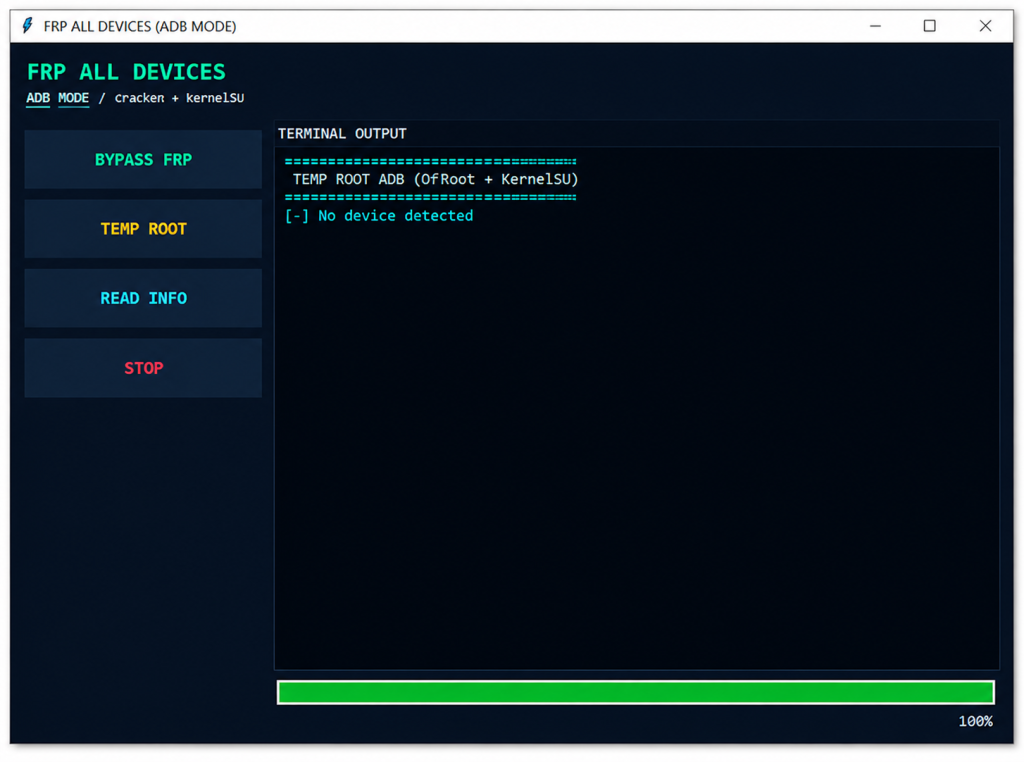
In the mobile software repair and servicing industry, technicians frequently work with smartphones where Android Debug Bridge (ADB) has been enabled via hardware test codes (*#0*#), QR code provisioning, or diagnostic ports. FRP All Devices ADB Mode Latest Version provides a lightweight, fast, and universal Windows desktop utility designed to remove Factory Reset Protection (FRP) and manage device locks across virtually any Android brand once an ADB handshake is established.
Operating without requiring an expensive physical dongle or paid server credits, FRP All Devices ADB Mode automates complex ADB shell commands into simple 1-click operations—saving valuable bench time for GSM repair professionals. This comprehensive guide covers every feature, lock-removal capability, system requirement, and setup step.
What is FRP All Devices ADB Mode?
FRP All Devices ADB Mode is a universal, Windows-based Android servicing and unlocking utility built around the Android Debug Bridge (ADB) protocol. Designed for repair technicians and advanced users, it connects directly to smartphones in ADB Mode—across Samsung, Xiaomi, OPPO, Realme, Vivo, Motorola, TECNO, Infinix, and generic Android handsets—to clear Google setup locks, disable administrative bloatware, read device diagnostics, and reboot into specialized service modes.
Complete Features & Servicing Modules of FRP All Devices ADB Mode
The latest release packs a focused suite of universal ADB and system servicing tools into a clean, single-window interface:
- 1-Click Universal ADB FRP Reset: Automates Google Setup Wizard completion flags (
user_setup_complete), clears persistent FRP verification states, and launches the device home screen cleanly across Android 5.0 through Android 16. - Auto Device Detection & Diagnostic Reader: Automatically detects connected ADB interfaces and logs Brand, Model, Android OS Version, Security Patch Level, Build Number, Serial Number, and Root/Bootloader status.
- ADB App & System Bloatware Manager: Scans installed system and user packages (
pm list packages), enabling technicians to disable, uninstall, or freeze carrier bloatware and stubborn background update agents without root. - Universal MTP / ADB Browser & Settings Launchers: Includes built-in triggers to launch Chrome, YouTube, Google Maps, or Android System Settings directly on supported handsets to assist with manual ADB enabling.
- Multi-Mode Reboot Controller: Reboot connected devices in a single click into Normal System Mode, Android Recovery Mode, Fastboot / Bootloader Mode, Samsung Download (Odin) Mode, or Qualcomm EDL 9008 Mode.
- Built-In ADB Server Reset & Driver Helper: Includes quick actions to restart the
adb.exebackground daemon (kill-server/start-server) when USB RSA authorization prompts fail to appear.
Comprehensive Lock Removal Capabilities (FRP, MDM, PIN, Pattern & Screen Locks)
Modern Android smartphones incorporate multi-layered security protocols to safeguard user and enterprise data. FRP All Devices ADB Mode provides targeted ADB-driven routines to address every major type of device lock:
1. FRP Bypass (Factory Reset Protection)
When an Android smartphone is factory reset without signing out of the primary Google account, FRP blocks setup access. Once USB Debugging (ADB) is enabled on the device (via *#0*# Test Mode, Setup QR Code, or third-party MTP ADB enablers), FRP All Devices ADB Mode clears the Google verification barrier in seconds and exits the setup wizard straight to the home screen.
2. MDM, IT Admin & Carrier Lock Management
Corporate-managed phones, school tablets, and carrier-restricted devices often enforce Mobile Device Management (MDM), Device Owner policies, or carrier lock agents. Using ADB package disabling, Device Owner policy clearing (dpm remove-active-admin on supported builds), and OTA update blockers, technicians can neutralize enterprise restrictions cleanly without flashing full firmware.
3. PIN, Password, and Pattern Lock Reset
Forgetting a screen security credential—whether a numeric PIN, alphanumeric password, or gesture pattern—renders a phone inaccessible. On devices where ADB was previously authorized (or on rooted/legacy builds), the utility helps clear screen-lock configuration states (locksettings / gatekeeper data) or reboot directly into Recovery/Fastboot mode to execute a clean factory data wipe.
4. Brand Account & Setup Wizard Locks (Xiaomi Mi Account / Samsung Account)
Beyond standard Google locks, FRP All Devices ADB Mode assists in freezing background relock services for Xiaomi Mi Account and Samsung Account setups via ADB package management on supported firmware builds.
Supported Brands and Android Versions
FRP All Devices ADB Mode Latest Version delivers universal compatibility across virtually every Android manufacturer using standard ADB communication:
- Supported Brands: Samsung Galaxy (S, A, F, M, J, and Tab series), Xiaomi, Redmi, POCO, OPPO, Realme, Vivo, iQOO, OnePlus, Motorola, TECNO, Infinix, Itel, Huawei, Honor, Nokia/HMD, LG, Lenovo, and generic Android smartphones/tablets.
- Supported Android Versions: Android 5.0 Lollipop, 6.0 Marshmallow, 7.0 Nougat, 8.0 Oreo, 9.0 Pie, 10, 11, 12, 13, 14, 15, and Android 16.
System Requirements
| Component | Minimum Requirement | Recommended Specification |
| Operating System | Windows 7 / 8 / 10 (32-bit & 64-bit) | Windows 10 / 11 (64-bit) |
| Processor | Intel Core 2 Duo / AMD Dual-Core (1.8 GHz) | Intel Core i3 / AMD Ryzen 3 or higher |
| RAM | 2 GB RAM | 4 GB RAM or higher |
| Storage Space | 100 MB free disk space | 500 MB available space |
| USB Drivers | Universal ADB USB Drivers | Google Platform-Tools + Samsung/Xiaomi/MTK Drivers |
How to Download, Install, and Use FRP All Devices ADB Mode
- Download the Setup Archive: Download the official FRP All Devices ADB Mode Latest Version compressed
.zipor.rarpackage from a trusted repository. - Temporarily Pause Antivirus: Windows Defender and third-party antivirus suites often flag lightweight ADB script utilities due to packed
adb.exewrappers. Temporarily disable real-time protection or whitelist the folder before extracting. - Extract All Files to One Folder: Unpack the archive into a dedicated folder on your
C:drive (e.g.,C:\FRP_ADB_Tool) using WinRAR or 7-Zip soadb.exe,AdbWinApi.dll, andAdbWinUsbApi.dllstay in the exact same directory as the main executable. - Install Universal ADB Drivers: Ensure official Universal ADB Drivers and manufacturer USB drivers (Samsung USB, Xiaomi, Motorola, etc.) are installed in Windows Device Manager.
- Enable ADB on the Target Device: Boot your locked Android smartphone and enable USB Debugging using the appropriate method for your model (such as dialing
*#0*#on supported Samsung devices or scanning an ADB Setup QR code on the welcome screen). - Launch Tool & Execute FRP / Lock Removal: Right-click the main executable file, select Run as administrator, connect your phone via a reliable USB cable, tap Allow on the phone’s “Allow USB debugging?” RSA fingerprint prompt, and click Remove FRP / Reset Lock to complete the process.
Frequently Asked Questions (FAQ)
Q1: Is FRP All Devices ADB Mode free to use, and does it require a dongle?
Ans: Yes, FRP All Devices ADB Mode Latest Version is a completely free, dongle-free Windows utility that works directly over a standard USB cable without requiring a hardware box or paid server credits.
Q2: How do I enable ADB on a phone that is stuck on the Google FRP welcome screen?
Ans: Because you cannot access Developer Options on an FRP-locked screen, technicians enable ADB using brand-specific triggers—such as dialing *#0*# in Emergency Call on supported Samsung phones, using an ADB QR Code on the setup screen (Android 11–16), or launching a browser via MTP to install an ADB-enabling utility.
Q3: Will removing FRP or MDM via ADB Mode erase personal data?
Ans: Removing FRP or disabling MDM / Device Owner agents via ADB Mode preserves existing system and user files on the device. However, if you use Recovery or Fastboot wipe options to clear a forgotten PIN or pattern lock, user storage partitions will be erased. Always back up accessible data before servicing.
Q4: Why is the tool saying “Device Unauthorized” or not detecting my phone?
Ans: A “Device Unauthorized” message means the phone has not yet accepted the PC’s RSA debugging key. Unlock or wake the phone screen, unplug and replug the USB cable, and tap Always allow from this computer – Allow when the RSA prompt appears. If no prompt shows up, verify that Universal ADB Drivers are properly installed in Windows Device Manager.
Conclusion
The FRP All Devices ADB Mode Latest Version is an essential, lightweight utility for every mobile repair technician’s software collection. By automating universal ADB FRP bypass commands, MDM/bloatware package management, multi-mode device rebooting, and screen-lock troubleshooting across Android 5 through Android 16, it eliminates tedious command-line typing and speeds up daily GSM servicing. Always ensure official Universal ADB Drivers are installed and verify device ownership or authorization before servicing any handset.


